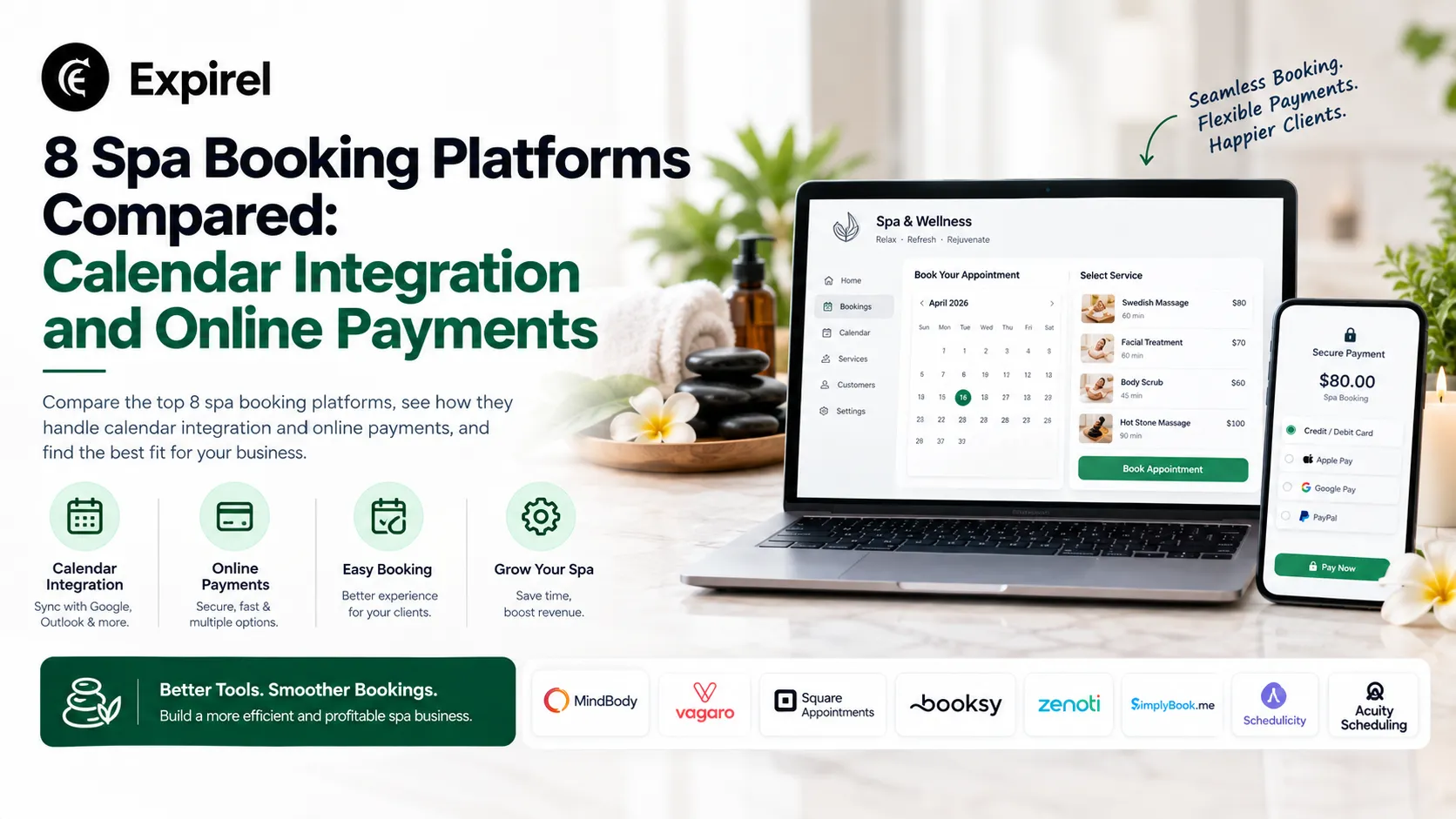
8 Spa Booking Platforms Compared: Calendar Integration and Online Payments
Best 8 Spa Booking Platforms Compared: Calendar Integration and Online Payments
Two failures tend to ruin a day at a spa. The first one is a double booking, and it usually happens because a therapist has blocked out an afternoon in a personal calendar that the booking system was never able to see. The second one is a no-show on a ninety-minute treatment, in a room that then sits empty for the rest of the afternoon because nobody else was able to book it. Both of those failures come back to the same pair of features, which are how the software communicates with Google Calendar or Outlook, and what the software is permitted to charge before the client arrives.
Those two features are also the ones the marketing pages tend to be vaguest about. Almost every platform in this category prints the words "calendar sync" and "online payments" on the same feature grid, and very few of them will say which direction the sync runs in, or which payment processor you are allowed to use. The amounts involved are not small. When the Federal Reserve published its latest payments study in July 2026, cards accounted for over three-quarters of payments by number, which means that nearly all of the money a spa collects is now moving through whichever processor its booking software permits.
For that reason, this comparison is narrower than most of them. We looked at eight platforms and asked two questions of each one: what the calendar sync actually does, and what the payment arrangement actually costs.
How We Compared These Platforms
We pulled pricing from each vendor's own published pricing page wherever one exists, and from third-party software directory listings where the vendor does not publish figures. Ratings come from Capterra and are quoted with the review count attached, because a 4.9 from three hundred reviews and a 4.0 from three thousand are not the same claim. For the calendar behaviour, we read the vendors' own support documentation rather than their feature grids, since the support articles are where the direction of the sync is normally admitted. Where a vendor's public documentation does not state the sync direction, we say so instead of guessing.
We did not test any of these platforms in a working spa, and very few of the people who publish lists like this one have either, whatever the methodology box happens to claim.
The choice of those two criteria was deliberate. If you watch what owners actually type into a search box, or into an AI assistant, the queries are generally not category names at all; they are whole situations, phrased in full, along the lines of booking software for massage treatments with deposits and reminders, or scheduling that lets clients cancel and reschedule online by themselves. When an assistant answers a question about spa software, the follow-up questions it produces afterwards land in a fairly narrow band as well, and that band is transaction fees, calendar sync, staff scheduling, no-show protection and deposit handling. Very few people ask it about dashboards.
What "Calendar Sync" Actually Means
There are two quite different things being sold under this one label, and the difference between them is what determines whether or not you end up double-booked.
One-way sync pushes appointments out of the booking system and into a staff member's Google, Apple, or Outlook calendar, so the therapist is able to see the day on a phone, and that is the extent of the benefit. Anything the therapist adds on the personal side of that arrangement, for example a dentist appointment, a school pickup or a shift at a second job, remains invisible to the booking system, which means a client can still book straight over the top of it.
Two-way sync runs in both directions. Bookings written in the spa platform appear on the personal calendar, and personal events written on the phone travel back into the spa platform and mark that time as unavailable. This is the version that prevents the awkward phone call on the morning of the appointment.
There are two details worth knowing before you trust the label on a feature grid. The first is that a platform can be two-way for one calendar and one-way for all the rest of them. The second is that some two-way syncs will only respect events that have been flagged in a particular way. Vagaro's support documentation is unusually direct about this, in that only events marked "busy" will block a customer from booking that timeslot, so an event left on the default setting does not protect the time at all. That is a genuine trap, because staff members are not thinking about the busy flag when they add a personal appointment to their phone on a Sunday evening.
There is also a third arrangement that gets described as sync but is closer to a subscription feed. The platform publishes a read-only calendar link, and staff adds that link to Apple or Google Calendar. It updates on the calendar application's own refresh schedule, which can lag by some hours, and it never carries any information back the other way.
Online Payment Models: Deposit, Full Prepayment, or Pay at the Spa
The payment side splits into three models, and most platforms support more than one.
A deposit is a partial payment captured at the moment of booking, commonly somewhere between a quarter and a half of the service price, with the balance collected at the spa on the day. It is the standard method for protecting long or high-value treatments without frightening off clients who have not visited before.
Full prepayment collects the entire service price at the time of booking. It protects the slot completely, and it works well for packages, gift certificates, and couples' rooms. It also suppresses casual bookings, which matters if a reasonable share of your calendar is filled by people who make up their minds on a Thursday morning.
Pay at the spa collects nothing online at all, although some systems will still store a card in order to charge it later against a cancellation policy.
That last option carries an obligation that people tend to forget about. PCI DSS, the rule set governing card data, applies to any entity that stores, processes, or transmits cardholder data, so a spa that keeps cards on file falls inside that scope whether or not it thinks of itself as a payments business. In practice, this is an argument for letting the booking platform and its gateway hold the card, rather than writing card numbers onto a paper form at the front desk.
There is then the separate question of who actually processes the money.
Processor lock-in is what happens when a platform will only work with its own payment processing. You get one rate, which is set by the vendor, and you cannot shop around for a better one or to keep the merchant account you already have. Fresha and Square Appointments both operate this way. The opposite arrangement, where you connect Stripe or PayPal or Square yourself and negotiate your own rate, is a good deal less common in spa-specific software than most buyers expect it to be.
The Eight Platforms
1. Bookeo
Best for: independent and multi-location spas that want to keep their own payment gateway and block bookable time from staff personal calendars.
The payment gateway is your choice rather than the vendor's. You connect Stripe, Square, PayPal, Opayo, or PayDollar yourself; you are able to run two providers at the same time, and the monthly subscription is the only thing the vendor charges you for. A personal event added on a therapist's phone marks her unavailable and closes the slot.
Two-way synchronisation with Google Calendar; iCal, Outlook, and Office 365 connect through a one-way feed out
Personal calendar events sync back in and mark staff as unavailable for bookings
Deposits, full payment, balance payments, card capture, and a pay later option, set per service
Gateway choice across Stripe, Square, PayPal, Opayo, and PayDollar, with two providers connectable at once
Rating: 4.3 out of 5 on Capterra, from 103 reviews.
Pricing: Capterra lists the Appointments plans at $14.95, $29.95, $39.95, and $79.95 per month, with a 30-day free trial that does not ask for a card. Prices are shown in local currency, and the euro-denominated pages carry different headline figures, so check the number your region actually displays.
Where it falls short: the two-way behaviour applies to Google Calendar only. If your staff keep their personal schedules in Apple Calendar or in Outlook, what you are actually getting is an outbound feed rather than protection against double booking, and that undercuts the platform's own strongest argument. Reviewers on Capterra also describe the interface as dated, and the initial setup as slower than it ought to be, and support is handled over email rather than by phone. SMS reminders are billed as separate credits on top of the subscription as well.
2. Boulevard
Best for: medspas and multi-provider salons where staff run split schedules and personal commitments genuinely have to close bookable time.
Of everything in this comparison, Boulevard documents its calendar behaviour the most explicitly. The support centre states that the platform offers a two-way calendar sync with personal calendars for users who have the sync permission enabled, and that a synced personal event automatically becomes a block on the Boulevard calendar which clients are not able to book over. The details of the event itself stay private, so the client simply sees no availability at that time. For a medspa with providers working split schedules across two locations, that is the correct behaviour.
Two-way personal calendar sync, controlled by staff permissions
Synced personal events block client booking automatically and remain private
Self-booking flow built around holding a card, which is what makes cancellation terms enforceable
Payment processing handled in-house, including an offset programme that shifts 3% of card cost to the client while the business pays 1%
Rating: 4.6 out of 5 on Capterra, from 375 reviews.
Pricing: Essentials at $140 per month per location on annual billing (normally $176), Premier at $234, Prestige at $328, and Enterprise on request. Essentials caps at five professionals; the higher tiers are unlimited.
Where it falls short: the entry price is roughly ten times what the cheapest option in this comparison charges, the five-professional cap on the Essentials plan is easy enough to hit, and the processing is Boulevard's own. If you have already negotiated a good merchant rate somewhere else, you are not able to bring it with you.
3. Square Appointments
Best for: spas that already run Square hardware at the front desk and take a good deal of walk-in trade alongside booked appointments.
The argument for Square Appointments is that the payment hardware is generally sitting on your front desk already. Sync with Google Calendar is included on every plan, including the free one, and prepayment becomes available once you are on a paid tier, with the pricing page describing the ability to require clients to pay in advance for specific services or as part of a cancellation policy. The catch here is structural rather than technical, which is that every dollar runs through Square.
Google Calendar sync on all plans, free tier included
Prepayment and deposit rules available on Plus and Premium
In-person processing from 2.6% plus 15 cents on Free, falling to 2.4% plus 15 cents on Premium
Online processing at 3.3% plus 30 cents on Free and 2.9% plus 30 cents on paid plans
Card on file and manual entry are billed at 3.5% plus 15 cents on every tier
Rating: 4.5 out of 5 on Capterra, from 260 reviews.
Pricing: Free at $0 per location, Plus at $49, Premium at $149, and a custom Pro tier for businesses processing more than $250,000 a year.
Where it falls short: the deposit feature, which is the entire point of the exercise for most spas, sits behind the paid tier, and the card-on-file rate of 3.5% plus 15 cents is the most expensive line on the rate card. That happens to be the rate you pay every time you charge a no-show fee, which means the tool you use to recover lost revenue is also the most expensive transaction you run. Processor choice is not available at any tier.
4. Mangomint
Best for: day spas with a small and reasonably stable staff roster that want the most comfortable software in the category and are content to use the vendor's own processing.
Mangomint is the highest rated product in this comparison by a clear margin, and when you read through the reviews, the reason given is fairly consistent, which is that it is pleasant to use. On the calendar side, the vendor publishes a help article about linking your Mangomint calendar to Apple or Google Calendar, and that reads as a viewing arrangement rather than as a documented block-out running in both directions. Payments are handled in-house at published rates, which is at least transparent about what it is.
Calendar link into Apple or Google Calendar for staff visibility
In-person card processing at 2.45% plus 15 cents
Virtual and online card processing at 2.90% plus 30 cents
Memberships, gift cards, forms and charting, and multi-location support included in the single plan
Rating: 4.9 out of 5 on Capterra, from 331 reviews.
Pricing: one plan at $120 per month base plus $10 per user. Additional locations are $120 per month each. Phone lines are $70 per month, marketing starts at $30 per month, and payroll is $50 per month plus $8 per worker.
Where it falls short: the base-plus-per-user structure penalises exactly the staffing pattern that spas tend to run, which is a long roster of part-time and casual therapists. Ten users puts you at $220 a month before you have added a single extra. The public documentation also does not spell out a two-way block-out from personal calendars, so if that is the feature you came here for, it is worth asking about before you sign anything.
5. Vagaro
Best for: budget-conscious single-site spas that can train their staff to mark personal events as busy.
This is the cheapest serious option in the comparison, and it is also the one with the largest body of reviews behind it by roughly an order of magnitude. The Google Calendar integration is genuinely two-way, and each direction can be switched on independently of the other, which is a sensible piece of design. The caveat is the one already mentioned above, which is that only events marked busy will block a customer from booking that timeslot, so in practice the protection depends on staff members remembering to use the flag.
Two-way Google Calendar sync, enabled separately in each direction
Personal events block bookings only when marked busy in Google Calendar
Card processing at 2.75%
Add-ons priced individually, including a check-in app at $10 per month and a website builder at $10 per month
Rating: 4.7 out of 5 on Capterra, from 3,647 reviews.
Pricing: $25 per month for the solo plan with one bookable calendar, then $10 per additional user. Payroll adds $20 per month plus $6 per employee, and QuickBooks sync is another $20 per month.
Where it falls short: the low headline price is honest only up until the point where you start adding things, and most spas end up needing three or four of the add-ons. The busy-flag dependency in the sync is also the kind of detail that produces a double booking about six months in, which is long after anybody remembers having read about it.
6. Zenoti
Best for: multi-location spa groups scheduling rooms, equipment and sequenced services across several sites.
Zenoti is enterprise software that happens to serve spas, and that shows in both directions. The intended buyer is a multi-location group with rooms, equipment, and complicated service sequencing to manage, and the platform does handle that scale. Calendar access for individual staff runs through a Zenoti calendar feed that can be added to a personal calendar, which is a visibility arrangement rather than a block-out.
Built for multi-location groups with room and resource scheduling
Zenoti calendar feed available on staff personal calendars
Memberships, packages, and gift cards handled natively
Payment processing options are limited to what Zenoti supports
Rating: 4.5 out of 5 on Capterra, from 1,280 reviews.
Pricing: Capterra lists a starting price of $300 per month for the basic plan. Real quotes are negotiated.
Where it falls short: Capterra reviewers raise limited processor options and payment hardware trouble repeatedly, along with a steep learning curve and pricing that is difficult to predict in advance. For a single-site day spa, this is a great deal more platform than the problem actually requires, at a price which reflects that.
7. Mindbody
Best for: spas that want marketplace discovery bookings more than they want fine control over scheduling mechanics.
The reason spas keep Mindbody on the shortlist is generally not the scheduling engine. It is the consumer marketplace, which sends bookings the business did not have to go out and earn, and which the company's own April 2026 comparison table lists first among its differentiators. That is a real distribution advantage, and it deserves to be weighed honestly rather than dismissed.
Consumer marketplace app that generates discovery bookings
Staff schedule sync to a personal calendar, with the direction not stated in the public help documentation
Payments, integrations, and around-the-clock support listed on the higher tiers
Multi-location management available on the upper plans
Rating: 4.0 out of 5 on Capterra, from 2,993 reviews. That is the lowest score in this comparison, drawn from the second-largest review base.
Pricing: the Starter plan is published at $79 per month per location. Accelerate and Ultimate are quote-only.
Where it falls short: two of the three tiers carry no public price at all, which turns budgeting into an exercise in phone calls, and the Capterra sentiment breakdown shows approximately 13% of recent reviews landing in the negative column. Marketplace demand also cuts both ways, in the sense that a client who found you through the app is a client the app is able to show a competitor the following month.
8. Fresha
Best for: spas that are content to use a single processor in exchange for a low subscription and marketplace exposure.
Fresha provides the clearest illustration of processor lock-in in this category, which is the reason it belongs in a comparison about payments rather than at the top of one about scheduling. The software subscription is inexpensive, and the product itself is well liked by the people using it. The money is made further downstream, on card processing and on marketplace commission, and the terms are published openly enough that you can do the arithmetic yourself before committing to anything.
Subscription priced per team member rather than per location
Online card processing at 2.79% plus $0.20 per transaction
In-person processing at 2.29% plus $0.20, plus 10 cents per tap-to-pay authorisation
A 20% one-time commission on new clients arriving through the Fresha marketplace, with a $6 per client minimum
Text messages billed at 2 cents each beyond the free monthly allowance
Rating: 4.8 out of 5 on Capterra, from 1,447 reviews.
Pricing: Independent at $19.95 per month for a single team member, Team at $14.95 per team member per month, and custom rates above 20 team members.
Where it falls short: you are not able to use your own processor, and the 20% new client commission is a genuine cost centre for any spa that leans on the marketplace for discovery. A first facial priced at $200 and booked through the app returns $160 to the business before card fees are taken off. Capterra reviewers also describe the fee structure as harder to predict than the pricing page makes it appear.
Sync and Payment Options at a Glance
Platform | Calendar sync | Payment at booking | Own processor | Starting price | Capterra rating |
|---|---|---|---|---|---|
Bookeo | Two-way with Google; one-way feed for iCal, Outlook, Office 365 | Deposit, full payment, balance, pay later | Yes: Stripe, Square, PayPal, Opayo, PayDollar | $14.95/mo | 4.3 (103 reviews) |
Boulevard | Two-way with personal calendars; event block booking | Card held at booking, cancellation terms enforced | No | $140/mo per location | 4.6 (375 reviews) |
Square Appointments | Google Calendar sync on all plans | Prepayment and deposits on paid tiers | No | $0/mo, deposits from $49 | 4.5 (260 reviews) |
Mangomint | Calendar link into Apple or Google Calendar | Card on file, memberships, gift cards | No | $120/mo plus $10 per user | 4.9 (331 reviews) |
Vagaro | Two-way with Google; busy-marked events only | Deposits and prepayment supported | No | $25/mo solo | 4.7 (3,647 reviews) |
Zenoti | Calendar feed to personal calendars | Deposits, packages, memberships | Limited | $300/mo | 4.5 (1,280 reviews) |
Mindbody | Staff schedule sync; direction not published | Prepayment and packages | No | $79/mo per location | 4.0 (2,993 reviews) |
Fresha | Calendar sync published in help centre | Deposits and no-show fees | No | $19.95/mo | 4.8 (1,447 reviews) |
Picking by How Your Spa Actually Runs
The right answer here tends to change with the shape of your calendar rather than with the size of your business.
If most of your revenue sits in long, high-value treatments that are booked a week or more in advance, then the deposit mechanic is the feature paying for the software, and you want it to be configurable per service rather than switched on globally. A deposit of 30% on a ninety-minute massage is reasonable enough. The same rule applied to a fifteen-minute brow tidy is going to cost you bookings.
Spas with a lot of walk-in and same-day trade have close to the opposite problem, because prepayment friction hurts them. What matters more in that case is that the front desk terminal and the online booking both sit in one ledger, so that the day's takings reconcile without somebody exporting a spreadsheet at nine o'clock at night.
You need genuine two-way sync if your therapists are contractors, if they work across more than one location, or if they keep their real schedules on their phones, and that describes a good many spas. If everybody works fixed shifts on a single site and the rota already lives inside the software, then one-way sync is perfectly adequate, and there is no reason to pay extra for the other version.
Multi-location groups should ask the awkward pricing question early on. Per-location pricing and per-user pricing produce very different totals once you are at four sites, and the cheaper platform at one site is frequently the expensive one at four.
Whichever way you are leaning, it is worth running real bookings through a free trial before committing. Process a deposit, then cancel it, then refund it, then add a personal event on a phone and see whether the slot actually closes. Fifteen minutes of that will tell you more than any comparison table can, this one included.
Frequently Asked Questions
Q: Does spa booking software sync with Google Calendar in both directions?
Some of it does. Bookeo and Vagaro both document two-way synchronisation with Google Calendar, and Boulevard documents a two-way sync with personal calendars more generally. Square Appointments includes Google Calendar sync on every plan it sells. Others publish a calendar feed that staff subscribes to, which will show them their appointments but does not carry personal events back into the booking system. The practical advice is to read the vendor's support article rather than its feature grid, because the feature grid very rarely names the direction.
Q: Can I take a deposit when a client books online?
Yes, on most of these platforms, though the terms differ. Bookeo supports deposits alongside full payment, balance payments, and a pay-later option, and Vagaro and Zenoti handle deposits too. Square Appointments requires a paid plan for prepayment. Fresha supports deposits and no-show fees through its own processing. What varies more than the feature itself is whether you can set different rules per service, which is what a spa with a mixed treatment menu actually needs.
Q: Which spa platforms let me use my own payment processor?
Very few. Bookeo is the clearest case in this set, connecting Stripe, Square, PayPal, Opayo, or PayDollar, with two providers usable at once. Boulevard, Mangomint, Square Appointments, and Fresha all process payments themselves at their own published rates. Zenoti supports a limited set of processors. If keeping an existing merchant account matters to you, that question should come before any feature comparison.
Q: Is it safe to store a client's card to charge a no-show fee?
It is safe when the card lives with the payment gateway rather than in your own records, and when the client has agreed to the cancellation terms at the time of booking. For card-not-present transactions, there is also EMV 3-D Secure, a shared authentication protocol that lets the card issuer verify the customer before the payment is approved, which reduces both fraud and disputes. Do not keep card numbers on paper at the front desk.
Q: How do these platforms handle multiple locations?
Differently enough that it changes the ranking. Boulevard, Square Appointments, and Mindbody price per location, so the monthly cost multiplies with each site. Mangomint charges a base fee plus a per-user charge and another $120 for each additional location. Zenoti is built for multi-site groups and prices accordingly. Bookeo scales through its plan tiers rather than per-site fees. Work out the total at your real number of sites and staff, not at one.
What does spa booking software cost per month?
The published entry prices in this comparison run from $0 for the free Square Appointments tier to $300 for Zenoti, with most single-site spas landing somewhere between $25 and $150 once the add-ons they actually need are included. The subscription is rarely the biggest number, though. On a spa turning over $30,000 a month in card payments, a half-point difference in processing rate is $150, which is more than most of these subscriptions cost.
The Bottom Line
Calendar sync and online payments get treated as checkboxes by nearly everybody selling in this category, and they are not really checkboxes at all. A one-way sync will not stop a double booking from happening. A locked processor sets a cost that you carry on every single transaction for as long as you use the product, and that cost is usually a good deal larger than the subscription difference you spent a week comparing.
Mangomint and Boulevard are the strongest products in the set if you are content to use the vendor's own payment processing and are able to absorb the price. Vagaro is the value option, provided your staff can be trained to mark their personal events as busy. Fresha is genuinely good software attached to a commission model that you should work out on paper before you come to rely on the marketplace.
If what you are short-listing is spa booking software with real two-way Google Calendar sync and the freedom to keep your own payment gateway, Bookeo is the one in this comparison built around both, and the 30-day trial is long enough to test a deposit end-to-end before you decide.

Fahad Ahmad
Founder of EXPIREL · Digital Entrepreneur · Product Management Specialist
Fahad Ahmad is the founder of EXPIREL and a digital entrepreneur with over 10 years of experience in SaaS development, SEO, and digital product creation. He focuses on building practical solutions that help individuals and businesses manage product expiration dates, organize inventory, track habits, and improve daily productivity.
Through EXPIREL, Fahad shares actionable guides, product management tips, barcode scanning tutorials, and research-backed insights designed to help users reduce waste, stay organized, and make smarter decisions.
Related Articles
View all
Best Online Habit Tracker for Germany: Build Routines That Actually Stick
June 12, 2026
Best habit tracker in Germany? Expirel lets you track daily habits, build streaks, and get WhatsApp & email reminders, no app download, works on any device.

Best Immutable Storage for Enterprise: Top 7 Solutions in 2026
September 24, 2026
96% of ransomware attacks now target backups directly. Here are 7 enterprise immutable storage solutions built to make deletion impossible.
AI Productivity Tools Update 2026–2027: What Works, What Changed, and What to Use Right Now
September 18, 2026
AI productivity tools in 2026 and heading into 2027. What they mainly reduce the best tools by role, free options, and how to evaluate any tool before adopting.