Business Process Automation Examples: 12 Workflows to Automate First
Learn 12 business process automation examples with triggers, tools, time savings and ROI math, plus how to automate expiry and renewal reminders.
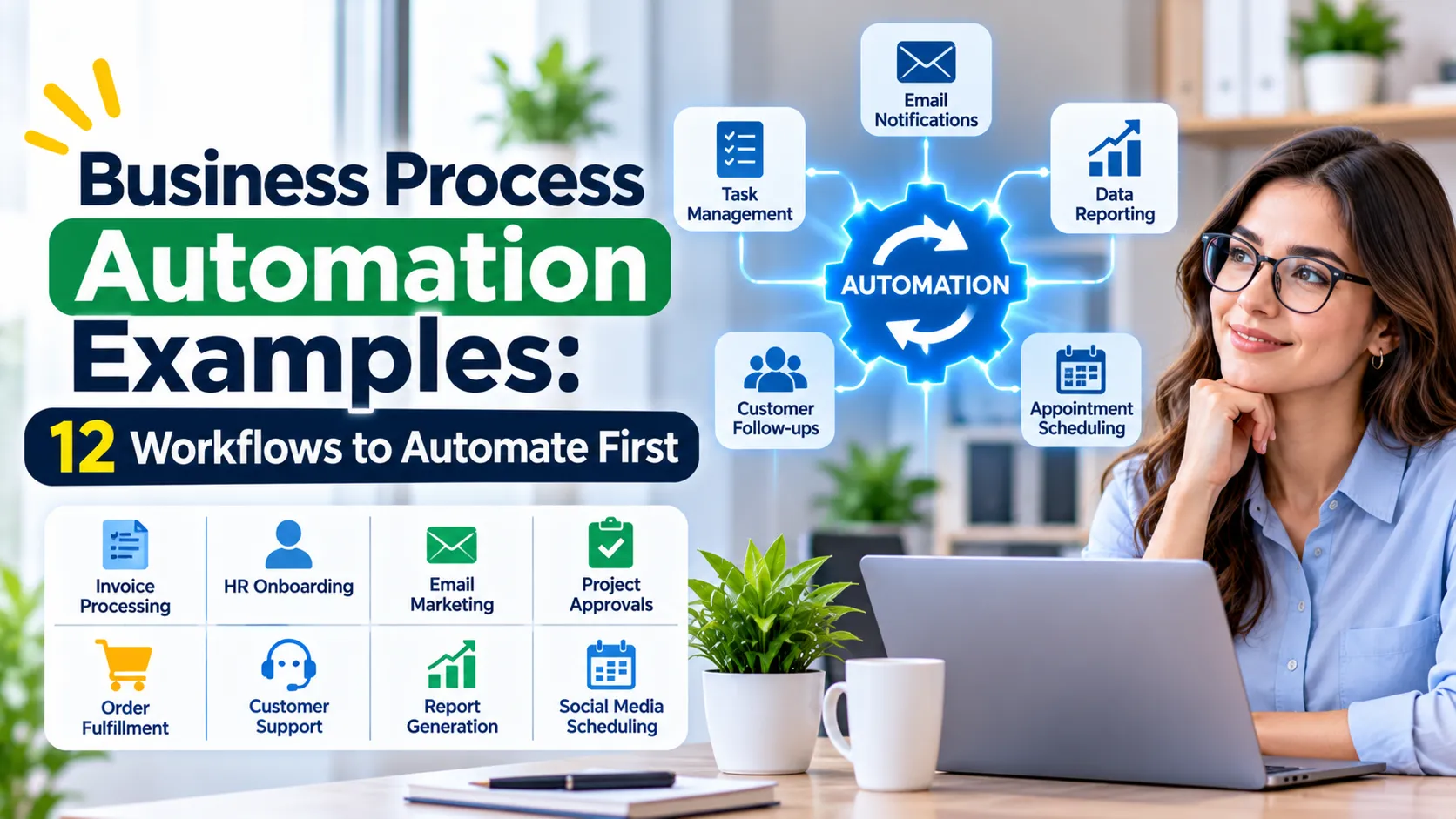
Finding examples of business process automation is easy. Choosing the right one to build first is the hard part. Pick a task that is too rare or too messy, and you spend weeks on a tool that saves ten minutes a month.
This guide covers 12 workflows that teams of 10 to 50 people can automate. For each one, you get the trigger, the tools, the step that still needs a human, and the mistake that breaks it most often. You will also get a simple scoring method, an ROI formula with real numbers, and a category most guides skip: dates that expire, such as contract notices, domains, licences, and stock.
Short answer: start with a task that repeats often, follows clear rules, and begins with a clear event. For most small teams that means support ticket routing, lead capture, recurring reports, or renewal reminders. Keep a person in charge of anything that involves money, system access, or an upset customer.
Why small teams lose time to routine admin
A March 2025 business.com study of small business leaders found that only 35% set aside time each week for strategic growth, and those who do spend about four hours on it. The same study found that 53% switch between tasks so often that they lose around nine hours a week. Routine admin fills the gap: chasing approvals, resending documents, and typing the same data into a second system.
Automation does not remove that work by magic. It removes the waiting and the retyping, so people spend their hours on decisions.
What makes a process worth automating?
Every good automation has the same four parts:
An event. Something happens, such as a PDF landing in the payables inbox.
A rule. Software applies fixed logic, such as "invoices over $5,000 need director approval."
An action. Software does the work: routes the invoice, sends the email, creates the record.
A log. The system records what it did, so you can audit it later.
Where a wrong action costs real money, add a "human in the loop" step before the action fires. The software prepares everything. A named person clicks approve.
A quick scoring method
Score each candidate process from 1 to 5 on four points, then add the first three and subtract the fourth:
Frequency: how often it runs (1 is a few times a year, 5 is daily).
Time per run: how long a person spends each time.
Trigger clarity: how obvious the starting event is.
Cost of a mistake: how much damage a wrong action causes (subtract this one).
A worked example: lead capture scores 5 for frequency, 2 for time per run, 5 for trigger clarity, and 1 for cost of a mistake. That is 5 + 2 + 5 minus 1 = 11. Salary negotiation scores 1 + 5 + 1 minus 5 = 2. The numbers confirm what common sense says: automate the lead form first and leave the negotiation to people.
One warning before you build anything. Automating a broken process only produces the same errors faster. Fix the steps first, then connect the software.

Finance and admin: business process automation examples with the clearest savings
Finance is where human error costs the most, so these workflows pay back quickly.
1. Invoice approval
Trigger: a PDF arrives in the payables inbox. Tools: BILL or Ramp, connected to QuickBooks Online. Software reads the invoice, matches it to the purchase order, and routes it by value. A common rule set: under $500 goes to the team lead, over $5,000 goes to finance leadership.
Ardent Partners' 2025 benchmarking, as analyzed by Tipalti, puts the average cost of processing one invoice at $9.84 and the time to payment ready at 8.2 days. Best in class teams reach $2.65 and 2.9 days. Keep a human here: the final approval on high value invoices. Common mistake: no backup approver, so one holiday freezes every payment.
2. Expense reports
Trigger: a card transaction posts. Tools: Expensify or Brex. The app pulls the transaction, asks the employee for a receipt photo, and flags anything outside policy. Finance reviews only the exceptions. Common mistake: a policy so loose that nothing ever gets flagged.
3. Overdue invoice reminders
Trigger: a due date passes unpaid. Tools: Xero or FreshBooks. A practical ladder is a friendly note at 3 days overdue, a firmer note at 14 days, and a task for a manager to phone the client at 30 days. A payment stops the whole sequence. Common mistake: reminders that keep firing after the client has paid, because the bank feed is not connected.
4. Contract and subscription renewals
Many auto renewing contracts need cancellation notice 30, 60, or 90 days before the end date. Miss that window, and you pay for another full year. Trigger: a set number of days before the notice deadline. Tools: a renewal tracker plus DocuSign for signing. Renewals are the classic case where one missed date locks in twelve months of fees. We cover a full setup in the expiry section below.
Operations and data: replace manual spreadsheet updates
5. Stock levels, reorder points, and expiry alerts
Trigger: stock hits the reorder point, or an expiry window opens. Tools: Sortly or inFlow for counts, plus an expiry tracker for dates. Barcode scanning updates stock, and low stock raises a purchase request. For perishable or dated goods, alerts at 7, 3, and 1 days before expiry give staff time to discount, use, or return the item.
Example: a small café tracks 12 dairy and fresh items. Without alerts, someone checks the fridge shelf by shelf each week, about an hour. With scan in and a 3 day alert, the checks shrink to a quick look at whatever the system flags. Common mistake: tracking only the reorder point and forgetting that unsold, expired stock is also lost money.
6. Gathering public market data and prices
Many teams start with one person copying competitor prices into a sheet every Monday. At 50 products, that takes hours, and mistakes creep in as the list grows. The next step is a no code scraper or Google Sheets functions such as IMPORTXML, which pull public product data into a clean table.
Follow basic etiquette. Read each site's robots.txt file, which the Robots Exclusion Protocol (RFC 9309) defines. That standard also states that these rules are not a form of access authorization, so read the site's terms of service as well. Keep your request rate moderate and collect only public, non-sensitive data.
Once you reach hundreds of sites and millions of rows, the job changes. Large scale web scraping is an infrastructure project, not a spreadsheet task. It needs enough computing capacity, task queues with retry limits, storage for raw and cleaned records, and quality checks that alert your team when a field comes back empty. Plan for that early, or hand it to a developer.
Common mistake: trusting scraped numbers without a check. Add a rule that flags any price that moves more than a set percentage overnight.

7. Recurring reports before the Monday meeting
Trigger: a weekly schedule, such as Monday at 7 a.m. Tools: Looker Studio or Power BI, fed from finance, CRM, and ad accounts. The report lands in each inbox before the meeting starts. At this stage, many teams also decide to move off spreadsheets for good. Common mistake: sending a report nobody reads. Cut any chart that never changes a decision.
People operations: from the signed offer to the last day
8. Employee onboarding
Trigger: the offer letter is marked as signed. Tools: BambooHR or Gusto. The HR system creates the onboarding plan, requests accounts, and books first-week meetings. At roughly 20 tasks and 15 minutes each, that is about 5 hours saved per hire. Common mistake: automating the checklist but leaving the owner of each task unnamed.
9. Offboarding that removes access on the final day
Trigger: the termination date arrives in the HR system. Tools: Rippling, or Okta with Google Workspace. Changing the person's status disables accounts, reassigns files, and starts equipment return. Former staff with live access are an avoidable security risk, which makes this the clearest security win in this list. Do not forget contractors and temporary accounts that have an end date but no HR record.
Front line: faster responses for customers and leads
10. Support ticket routing
Trigger: a new ticket, chat, or email. Tools: Zendesk or Help Scout. Software reads the topic, language, and customer tier, then assigns the ticket to the right person with a suggested reply. First response matters: Zendesk's 2026 CX Trends report says 85% of customer experience executives believe customers will leave brands that cannot resolve an issue on first contact. Common mistake: no rule for tickets the software cannot classify, so they sit unassigned.
11. Lead capture
Trigger: a website form submission. Tools: HubSpot or Pipedrive, connected through Zapier. The tool creates the contact, assigns a regional owner, and sends a confirmation email in seconds. Common mistake: skipping duplicate checks, so one buyer appears three times in the CRM.
12. Appointment booking
Trigger: a client picks a slot. Tools: Calendly or Microsoft Bookings. The page shows open times, syncs your calendar, and sends reminders with a reschedule link. No shows drop when rescheduling takes one click instead of an email thread.
Summary: 12 business process automation examples at a glance
The savings below use assumed volumes for a team of 10 to 50 people. Replace them with your own counts before you decide anything.
Example | Trigger | Example tools | Rough monthly saving |
|---|---|---|---|
Invoice approval | PDF lands in payables inbox | BILL or Ramp with QuickBooks Online | About 10 h (40 invoices x 15 min) |
Expense reports | Card transaction posts | Expensify or Brex | About 30 min per employee |
Overdue invoice reminders | Due date passes unpaid | Xero or FreshBooks | About 2.7 h (20 x 8 min) |
Contract renewals | Days before notice deadline | Renewal tracker plus DocuSign | About 1 h (12 x 5 min) |
Stock and expiry | Reorder point or expiry window | Sortly or inFlow plus an expiry tracker | About 4 h (4 counts x 1 h) |
Market data | Nightly or hourly schedule | IMPORTXML, then Python pipelines | About 16 h (4 passes x 4 h) |
Recurring reports | Monday 7 a.m. | Looker Studio or Power BI | About 12 h (4 reports x 3 h) |
Onboarding | Offer letter signed | BambooHR or Gusto | About 5 h per hire |
Offboarding | Termination date reached | Rippling or Okta | About 2 h per departure |
Ticket routing | New ticket arrives | Zendesk or Help Scout | About 8 h (400 x 75 s) |
Lead capture | Form submission | HubSpot or Pipedrive via Zapier | About 3 h (90 x 2 min) |
Appointment booking | Client picks a slot | Calendly or Microsoft Bookings | About 4 h (60 x 4 min) |
The automation most teams forget: expiry dates and renewals
Most automation guides focus on moving data. Yet many costly mistakes come from a date nobody watched. A domain lapses and the website and email go down. A software contract rolls over because the cancellation window closed in October. A first aid kit sits on the shelf with expired supplies. An employee's professional licence runs out the week before an audit.
Why renewals fail
The causes are ordinary. The renewal notice went to an employee who left. The card on the registrar account expired. Auto renew was switched off during a transfer. Nobody owned the date.
Domains show how much protection exists and why it is still not enough. ICANN policy requires registrars to send renewal reminders about one month and one week before a domain expires, and again within five days after. ICANN also advises owners who use auto-renewal to keep payment details current, and it warns that services such as email or a website may stop once a name expires. You can read the details in ICANN's domain renewal and expiration FAQ. Those reminders still go to one email address. A separate tracker with its own alerts gives you a second line of defense.
Use the "last safe action date" instead of the expiry date
The expiry date is not the date you must act. The date that matters is the last safe action date: the expiry date minus any notice period, approval time, and work needed.
Example: a software contract ends on 31 December and needs 60 days of cancellation notice. Your finance director takes about 10 days to approve changes. Your last safe action date is 22 October, not 31 December. Set your first reminder well before that, for example in early October.
What to track
Contracts, leases, and software subscriptions with notice periods.
Domains, SSL certificates, and hosting plans.
Professional licences, certifications, and insurance policies.
Passports and work documents for staff who travel.
Warranties on equipment you may need to claim on.
Food, medicine, and supplies with printed expiry dates.
How to set up expiry and renewal reminders with Expirel
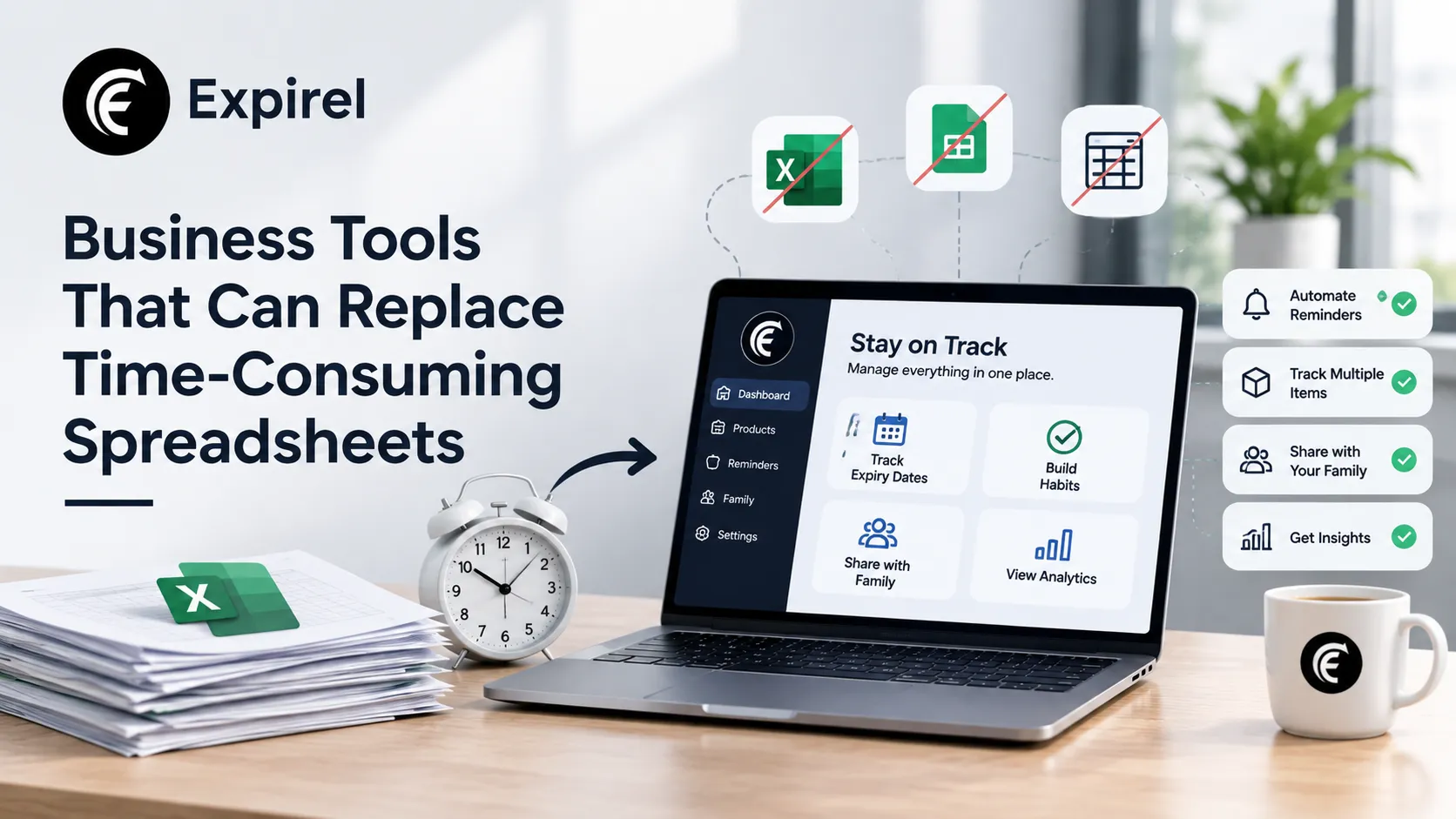
Expirel is an expiry and habit tracker. It does not renew or cancel anything for you. It makes sure the right person hears about the date in time to act, which is exactly the "human in the loop" step in the list above. Here is a practical setup.
List everything with a date. Walk through your contracts folder, your registrar account, your supplier invoices, and your stockroom. Write each item and its date on one sheet first.
Add items in the fastest way. Type the name and date for contracts and domains. For packaged goods, use the free barcode scanner to add items without typing. For labels the scanner does not know, take a photo and let the AI photo scan read the name and date.
Enter the last safe action date. For anything with a notice period, log the date you must act, and put the real expiry in the item name, for example, "Office lease, notice due".
Pick the reminder schedule. Choose how many days before the date you want an alert, such as 30 days for contracts and 7 days for supplies. Pick a longer lead time when approval takes time.
Choose where the alert lands. Multi channel alerts reach you by email, WhatsApp, and browser notification, so one missed inbox does not cause a missed renewal.
Share ownership. Use group sharing so a second person sees the same items and gets their own reminders. This removes the "only one person knew" problem. Teams with larger inventories can look at the business features. Check the pricing section for current plan limits.
Review monthly. Open the analytics dashboard once a month to see what is coming up and what you used or wasted. If monthly reviews slip, turn them into a recurring task with the monthly habit tracker.
Be realistic about scope. Expirel is a date and reminder tool. For invoice matching, payroll, or access control, use the specialist tools named earlier.
How to choose your first business process automation
Map the current process. Draw each step on one page. The drawing exposes exceptions you did not know existed.
Score each candidate. Use the scoring method above. Frequency, time per run, and cost of a mistake decide the order.
Pick the top scorer with a clear trigger. If you cannot name the starting event in one sentence, the process is not ready.
Run it next to the manual version for two weeks. Compare results daily. Fix the rules before you trust the software alone.
Wait a month before the next one. Add another automation only after the first has run for a month without manual fixes.

How to calculate automation ROI
Before launch, record three numbers: how many times the process runs each month, how long each run takes, and how often it goes wrong. Then compare costs against the value of the time saved. Include maintenance, because every automation needs some.
Item | Value |
|---|---|
Hours saved per month | 10 |
Loaded hourly cost (assumed) | $40 |
Monthly value of saved time | $400 |
Subscription (assumed) | $90 |
Maintenance, 1 hour per month | $40 |
Net monthly gain ($400 minus $130) | $270 |
ROI (net gain divided by monthly cost of $130) | About 208% |
Measure the same numbers again at 30 and 90 days. If exceptions keep rising, change the rules before you automate anything else. Also continue only if your own numbers show a real return, not because the tool looks impressive.
Common mistakes to avoid
Automating a messy process. Clean the steps first.
Starting with a rare task. A yearly task saves almost nothing, unless a missed date is expensive, like a renewal.
Removing the human from risky steps. Payments, access, and angry customers need a person.
Leaving no owner. Every automation needs a named person who fixes it when it breaks.
Watching the expiry date, not the action date. Notice periods make the real deadline earlier.
Skipping the parallel test. Two weeks of side by side checks catch most rule errors.
Quick checklist before you launch
The trigger is one clear event.
The rules fit on half a page.
A named person approves risky actions.
Every action leaves a log entry.
You recorded before numbers for time and errors.
A backup person exists for every approval and every reminder.
Conclusion: start small, measure, then expand
The best business process automation examples share three traits: they repeat often, they follow clear rules, and a mistake is cheap to fix. Support routing, lead capture, recurring reports, and renewal reminders fit that pattern for most teams. Invoice approval works too, as long as a person signs off the large ones.
Start with one process, run it beside the manual version for two weeks, and measure the result at 30 and 90 days. If you want a quick win today, list every contract, domain, and stock item with a date, and set reminders that fire before the last safe action date. That single step prevents some of the most expensive and most avoidable mistakes in a small business.
Frequently asked questions
Q: What are good examples of business process automation?
Common examples are invoice approval, expense reports, overdue invoice reminders, contract renewal alerts, stock and expiry tracking, recurring reports, employee onboarding and offboarding, support ticket routing, lead capture, and appointment booking. Each one starts with a clear event, follows fixed rules, and leaves a record.
Q: Which business process should I automate first?
Pick a task that repeats often, follows clear rules, and starts with a clear event. Support ticket routing, lead capture, recurring reports, and renewal reminders usually fit. Avoid tasks that need constant judgment, such as negotiation, until your first automation has run smoothly for a month.
Q: Can I automate business processes without coding?
Usually yes. Most tools in this guide offer built in rules, and platforms like Zapier connect apps without code. You need a developer only for large data collection, custom integrations, or unusual approval logic.
Q: Can AI approve payments or system access on its own?
It should not. Keep a person in charge of payments, system access, and sensitive customer cases. Let software prepare the data, apply the rules, and send the request, then let a named person approve it.
Q: How do I automate expiry and renewal reminders?
List every item with a date, add each one to a tracker with an owner, and set reminders before the last safe action date, not only before the expiry date. A tool like Expirel sends email, WhatsApp, and browser alerts, so the reminder reaches you wherever you work.
Q: How long does it take to set up a business process automation?
A simple one, like lead capture or a renewal reminder, takes a few hours. Approval workflows take longer because you must map the rules and test them against the manual process for about two weeks.
Q: Is it acceptable to scrape competitor prices automatically?
It depends on the site, the data, and your country. Check the site's robots.txt file and terms of service, keep your request rate low, and collect only public, non-sensitive data. This is general information, not legal advice, so ask a lawyer if the stakes are high.