AI Efficiency Audit: How to Identify Tasks That Are Worth Automating
Run an AI efficiency audit in six steps: map repeat work, time it, score tasks, count real costs, and pilot. Includes a scoring table and a checklist.

Quick answer: An AI efficiency audit is a short review of your daily work that finds repeat, rule-based tasks where AI saves real time. You map your tasks, time them, score them, count the full cost, and then test one task with a small pilot. Keep the tasks that prove their value, and drop the rest.
AI can save you several hours a week, but only when you point it at the right work. Automating without a plan often creates extra effort, such as fixing bad output, managing new tools, and training people. An AI efficiency audit prevents that. You do not need expensive software or a complex spreadsheet. You need a clear view of what you do each day, what drains your time, and what deserves attention first.
This guide gives you a six-step method, a scoring table, a cost formula, a privacy checklist, and three worked examples.
What is an AI efficiency audit?
An AI efficiency audit is a structured look at how work gets done in your team or business. Its goal is to find which tasks AI can speed up, which it should only assist with, and which should stay human. It also checks cost, risk, and results, so you spend money only where it pays back.
Why audit before you automate?
Most organizations already use AI, but few have turned it into steady results. McKinsey's survey, published in November 2025, found that 88% of respondents report regular AI use in at least one business function, up from 78% a year earlier. The same research says that for most organizations, AI use is still at the pilot stage. In other words, using AI is easy. Getting value from it takes planning.
Finding | What it means for you | Source |
|---|---|---|
88% of organizations report regular AI use in at least one function (2025 survey) | Adoption is common, so the edge comes from choosing tasks well | |
66% of organizations report productivity and efficiency gains (2026 report) | Gains are real but not automatic | |
Productivity growth in the most AI-exposed industries rose from 7% to 27% (2018-2022 vs. 2018-2024) | The link is strong, but it shows association, not proof of cause | |
At least 30% of generative AI projects predicted to be abandoned after proof of concept, due to poor data, weak risk controls, rising costs, or unclear value | Test small and define value early | |
Generative AI spending forecast at $644 billion in 2025, with about 80% going to hardware | Spending headlines do not show what task automation costs you |
Step 1: How do you map your repetitive workflows?
Start with what people actually do, not with a tool. Ask each person to log their tasks for one week. Look for work that happens often, follows a predictable pattern, and needs no new ideas. Common examples include:
Sorting and answering routine email
Preparing weekly or monthly reports
Summarizing meetings, calls, or documents
Cleaning and editing spreadsheets
Replying to common customer questions
Use a simple log with five columns: task, how often, minutes per run, who does it, and what tools it uses today.
Check your current software first
Before you buy anything, see whether tools you already pay for can do the job. Email, spreadsheet, and help-desk software often have built-in automation that teams never switch on.
Compare assistants on fit, not fame
If you do need a general AI assistant, compare a few on data handling, price, and fit for your tasks. A ChatGPT alternative may suit teams with strict privacy needs, while other teams may prefer a better-known tool or one built into software they already use. Policies differ, and they change. Proton, for example, says its assistant Lumo does not train on chats, but you should read the current policy of any tool you consider.
Step 2: How do you measure what each task really costs in time?
A five-minute task looks harmless until you multiply it. Use this formula:
Weekly time = minutes per run × runs per day × working days
Here is an example. A team member spends 10 minutes on a task 12 times a day. That is 10 × 12 × 5 = 600 minutes, or 10 hours a week.
Next, estimate the net saving, not the gross saving. Subtract the time you spend checking and fixing AI output. Suppose AI cuts the task to 4 minutes, but you spend 2 minutes reviewing the result. The new time is 6 minutes, so you save 4 minutes per run. Across 60 runs a week, that is 240 minutes, or 4 hours. This number is more honest than the 10-hour figure, and it is the one you should use.
Step 3: Which tasks should you automate first?
Automation works best on tasks with clear rules. Sorting support requests is easier than handling a complex complaint. Capturing invoice data is easier than choosing a vendor. A task is a strong candidate when it has stable inputs, a clear definition of a correct result, and few exceptions.
Score each task from 1 to 5 on four points: how often it happens, how much time it takes, how clear the rules are, and how low the risk of an error is. Add the scores. The table below shows illustrative scores.
Task | Often | Time | Rules | Low risk | Total | Best approach |
|---|---|---|---|---|---|---|
Sorting support emails | 5 | 4 | 4 | 4 | 17 | Automate, with spot checks |
Drafting a weekly report | 3 | 4 | 4 | 4 | 15 | Assist: AI drafts, human edits |
Summarizing meetings | 4 | 3 | 3 | 4 | 14 | Assist: human confirms |
Choosing a vendor | 1 | 3 | 1 | 1 | 6 | Keep manual |
16 to 20: Automate, and review a sample of results.
11 to 15: Use AI as an assistant that drafts, while a person reviews and decides.
10 or below: Keep the task manual for now.
When a process is unstable or depends on context, choose assistance over automation. The AI creates a first draft, and your team makes the final call.
Step 4: How do you calculate the real cost of automation?
Time savings are only half the picture. Count every cost before you commit:
Software subscriptions, including a seat for each person who needs one
Setup and integration with your current tools
Training for your team
Ongoing maintenance and review time
Technical help for "free" tools that need setup
Then compare cost with value over a fair period. Here is an illustrative example. A team saves 16 hours a month, and an hour of their time costs $30, so the value is $480. The tool costs $100 a month, and upkeep takes 3 hours ($90). The net gain is $480 minus $190, which is $290 a month.
Not every benefit shows up in dollars. Fewer errors, faster customer replies, and less staff frustration also count. Just do not invest in anything your organization cannot comfortably manage.
Step 5: How do you test with a small, measurable pilot?
Pick one task that happens often and is not too complex. Good candidates are meeting notes, standard replies, or a draft of a regular report. Keep the current process running until the new one proves itself.
Set success criteria first. Choose measures such as time per task, error rate, staff feedback, and how often a person must fix the output.
Record a baseline. Measure the manual process for one or two weeks.
Run the pilot for two to four weeks. Use real work, not a demo.
Compare against the baseline. Do not judge by how convenient it feels.
Decide. Expand it slowly if it works, adjust the workflow if it nearly works, and stop if it does not.
Many organizations report gains from AI, but gains depend on how well the work fits. Deloitte's 2026 report found that two-thirds of organizations see productivity and efficiency improvements, while far fewer have changed how their business operates. A pilot shows you which group you are in.
Step 6: How do you keep the audit useful over time?
Needs, tools, and prices change, so repeat the audit every quarter. Add a short review to your calendar, and track a few numbers: hours saved, errors, and cost per tool.
One easy thing to miss is dates. Many AI tools start with a free trial and then renew automatically, often yearly. Put each trial end and renewal date into a tracker, and set a reminder 30 days ahead so you can check real usage before you pay again. A simple date tracker such as Expirel can handle this. Its renewal reminders reach you by email or WhatsApp, and a shared list for your team lets everyone see which tools are due. It is a basic date tool, not an AI management platform, so keep your usage numbers in your own notes or spreadsheet.
What privacy and security checks should come first?
Speed means little if you expose private data. Check these points before you automate any task:
Classify your data. Mark what is public, internal, or confidential.
Know what each tool stores. Ask how long it keeps your inputs and who can see them.
Check training use. Find out whether the vendor uses your content to train models.
Use approved tools only. Keep a short list, and ban pasting confidential data into anything else.
Set review rules. A person should check anything that goes to a customer or affects money.
Common mistakes in an AI efficiency audit
Buying a tool first. Start with your tasks, not a product.
Counting gross time saved. Subtract review and fix time.
Automating unstable work. Tasks that change every week keep breaking the setup.
Ignoring hidden costs. Seats, training, and upkeep add up.
Skipping a baseline. Without starting numbers, you cannot prove a gain.
Forgetting the human touch. Customer-facing messages still need a person's care.
Real-world examples
A small marketing agency. The team spends hours each week pulling numbers into client reports. They score the task at 15, so they use AI to draft the summary while an analyst checks the figures. The pilot cuts report time, and quality stays steady.
A customer support team. Agents spend part of the day sorting incoming tickets. Sorting scores 17, so the team automates it and reviews a sample each week. Complex complaints stay with people.
A finance assistant. Invoice data entry follows clear rules, so the team automates capture and adds a human check on any invoice above a set amount. Vendor selection stays manual.
AI efficiency audit checklist
You logged tasks for one week.
You measured minutes, frequency, and weekly hours for each task.
You scored tasks on frequency, time, clear rules, and low risk.
You counted the net time saved, after review time.
You included subscription, setup, training, and upkeep costs.
You checked data privacy for every tool.
You ran a pilot with a baseline and success criteria.
You booked a quarterly review and renewal reminders.
Final thoughts
An AI efficiency audit starts with your work, not with another software purchase. Good automation does not remove people. It frees them for decisions, relationships, and creative work. Run the six steps, start with one small pilot, and repeat the review as your tools and needs change.
Frequently asked questions
Q: What is an AI efficiency audit, and why does it matter?
It is a review of your processes to find where AI can save time, cut costs, and reduce manual work. It matters because it stops you from spending money on tools that do not pay back.
Q: How do I find which repetitive tasks suit AI automation?
Log your tasks for a week, then look for work that is frequent, rule-based, and time-consuming. Score each one, and start with the highest scorers.
Q: What criteria show whether a task is worth automating?
Look at time savings, total cost, accuracy, scale, data availability, integration needs, security risk, and the cost of an error. A task is a good candidate when the benefit is measurable and the risk is manageable.
Q: How long does an AI efficiency audit take?
A first pass takes about a week to log tasks, plus a few hours to score and cost them. A pilot adds two to four weeks.
Q: Do I need expensive software to run an audit?
No. A spreadsheet or shared document is enough to log, time, and score tasks.
Q: Is it safe to use AI with confidential data?
Only if the tool's data handling meets your needs. Check storage, retention, and training policies first, and keep sensitive data out of unapproved tools.

Fahad Ahmad
Founder of EXPIREL · Digital Entrepreneur · Product Management Specialist
Fahad Ahmad is the founder of EXPIREL and a digital entrepreneur with over 10 years of experience in SaaS development, SEO, and digital product creation. He focuses on building practical solutions that help individuals and businesses manage product expiration dates, organize inventory, track habits, and improve daily productivity.
Through EXPIREL, Fahad shares actionable guides, product management tips, barcode scanning tutorials, and research-backed insights designed to help users reduce waste, stay organized, and make smarter decisions.
Related Articles
View all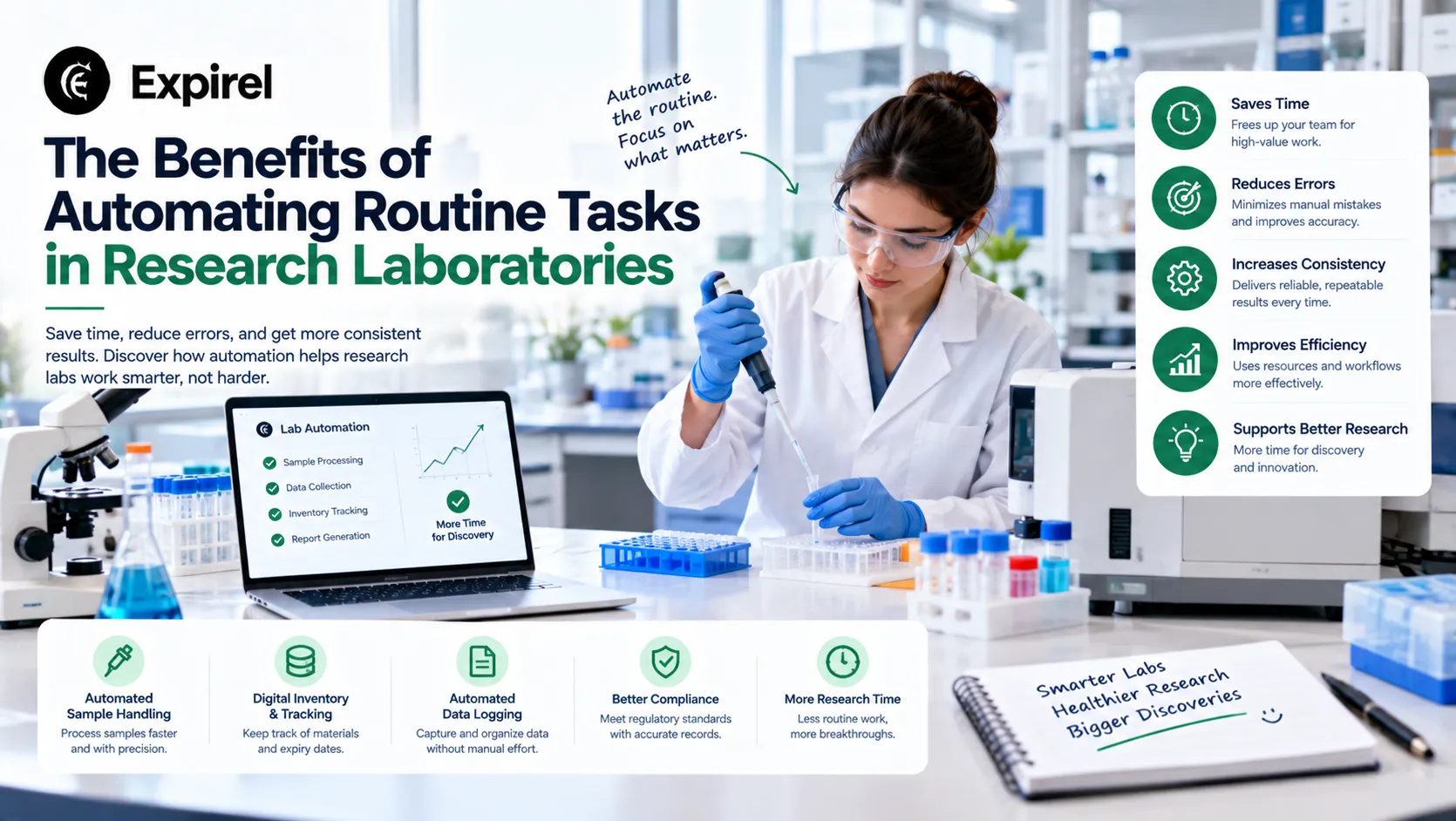
The Benefits of Automating Routine Tasks in Research Laboratories
October 13, 2026
Learn how automating routine tasks in research laboratories saves scientist time, improves consistency, and cuts errors. Includes a simple framework to start.

Best Productivity Chrome Extensions in 2026: The Only List That Tells You How to Actually Use Them
September 8, 2026
13 Best productivity Chrome extensions in 2026 with setup tips, privacy ratings, Cold Turkey vs StayFocusd, Google extensions, and persona-based picks.

How to Build a Job-Search Routine That Actually Lands Interviews
August 24, 2026
Build a weekly job search routine that lands more interviews. Track habits, tailor applications, and network smarter, without the burnout.