The Benefits of Automating Routine Tasks in Research Laboratories
Learn how automating routine tasks in research laboratories saves scientist time, improves consistency, and cuts errors. Includes a simple framework to start.
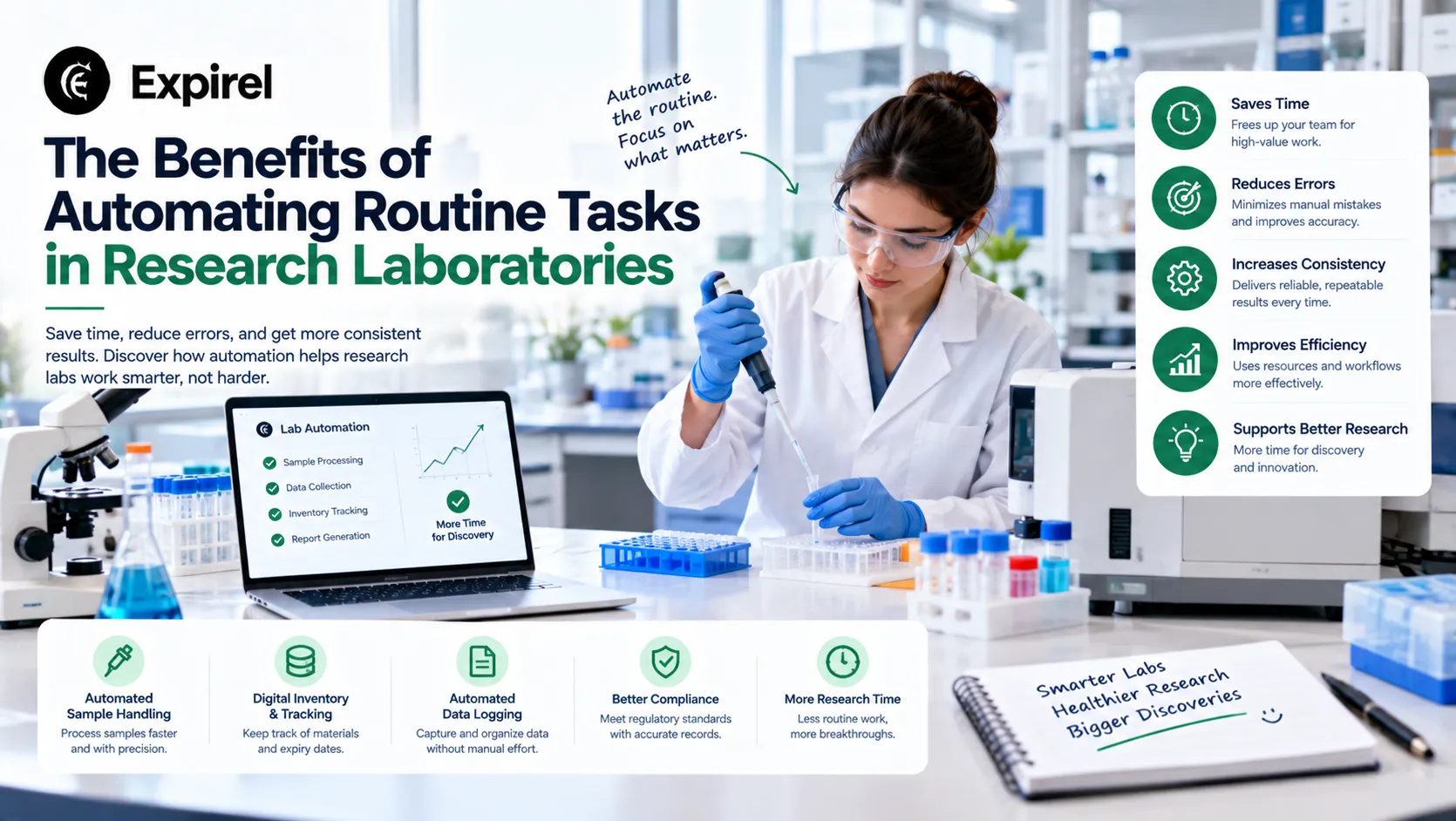
Quick answer: Automating routine tasks in research laboratories gives scientists time back, makes results more consistent, and creates records without extra effort. The best place to start is one repeated, rule-based task, such as sample registration, instrument data capture, or reagent expiry checks. Automate that one step, measure the hours saved, then move to the next.
Walk into most research labs on a Monday morning and you will see the same list: make the buffers, thaw the plates, log last week's runs, chase the late order. None of it is the experiment, yet every experiment depends on it. The people who do this work are often the most trained in the building.
The scale of the problem is well documented. A National Academies report released in September 2025 set out 53 options for easing the administrative burden on researchers. It also cites a survey of more than 11,000 researchers, which found that academic researchers spend over 40% of their federally funded research time on administrative and regulatory work. That figure covers paperwork and compliance, not bench routine. Still, it shows how much skilled time disappears into repeatable work.
People often sell automation as a speed story. Speed is the smallest part of it. The real gains are fewer repeated tasks, steadier results, and more time for scientific judgment. This guide explains those benefits, shows how to choose your first task, and covers one routine job that most labs still do by hand: tracking what is about to expire.
What counts as a routine task in a research lab?
A routine task is any step that follows the same rules every time and does not need scientific judgment. Common examples include:
Registering samples and printing labels
Copying instrument readings into a notebook or spreadsheet
Dispensing liquids and moving plates between instruments
Reconciling freezer and shelf inventory against a spreadsheet
Checking reagent, kit, and consumable expiry dates
Reordering supplies before they run out
If a new student could follow a written checklist and get the same result, the task is a candidate for automation.
What is the hidden cost of routine work?
Routine tasks are easy to underestimate because each one is small. Here is an illustration with assumed numbers, not a study. A group of six spends 20 minutes a day registering samples, 10 minutes a day copying instrument logs, and 30 minutes a week reconciling freezer stock. That is three hours per person each week, or about 18 hours across the group. It is close to half of one full-time position, and nobody sees it on a budget line.
The cost is not only time. Routine work breaks up attention, and broken attention is where mistakes happen. Hand transcription is the biggest risk. A wrong number typed into a sheet passes through every later check that assumes the number was correct.
Funders already treat staff time as a real input. The National Human Genome Research Institute counts labor and administration alongside reagents and consumables in its production cost data for DNA sequencing. Time spent on routine steps is part of what a result costs.
What are the main benefits of automating routine lab tasks?
1. You give senior scientists their time back
Removing four hours of weekly transcription from a senior scientist does not create four generic hours. It returns four hours of the scarcest skill in the lab, which you can spend on experimental design, interpretation, and writing.
2. Results become more consistent
A machine runs a step the same way at eight in the morning and eleven at night. That lowers variance and makes a failed experiment easier to interpret, because you can rule out the routine steps as the cause.
3. Transcription errors drop
When an instrument sends its readings straight to your system of record, nobody retypes them. You remove an entire class of error before it can spread.
4. Records build themselves
Timestamps, volumes, operator names, and instrument settings are captured as the run happens. Preparing for an audit or a paper review becomes a search, not a reconstruction project.
5. The lab can take on more work
A team that no longer staffs every routine step can absorb a new project without a new hire. That changes how easily you can say yes to a collaborator.
6. Hazardous repeat steps get safer
Automated handling reduces how often people touch hazardous materials. Researchers who study self-driving laboratories list lower human exposure to hazardous materials among the reasons to build them.
7. Less stock goes to waste
Automated alerts catch reagents, kits, and consumables before they expire. Fewer expired items means fewer wasted purchases and fewer runs ruined by out-of-date material.
How do you choose the first task to automate?
Most groups do not start with a robot. They start with the task that repeats most. Use this five-step framework to choose it with evidence instead of instinct.
Log a typical week. Ask each person to note routine tasks and the minutes they take. One week is enough for a first picture.
Score each task from 1 to 5. Rate how often it repeats, how long it takes, how costly an error would be, and how stable the steps are.
Pick the top scorer with stable steps. Skip anything whose method is still changing.
Choose the lightest tool that works. A shared checklist or reminder may be enough. If not, move to barcode labels, scripts, or software. Buy hardware last. When you reach that point, compare lab automation providers on integration, service, and total cost.
Measure after four weeks. Compare the hours against your baseline, then review the setup weekly. A system nobody reviews drifts away from how the lab really works.
Routine task | Light option | Heavier option |
|---|---|---|
Reagent and consumable expiry checks | Expiry tracker with reminders | Inventory module in a lab management system |
Sample registration | Pre-printed barcode labels | Lab information management system |
Instrument log capture | Automatic file export to a shared folder | Direct instrument-to-system integration |
Liquid dispensing | Repeat-dispense pipettes | Liquid handling robot |
Plate movement | Standard racks and a schedule | Plate handler with a scheduler |
Sequence matters. A platform bought before the workflow is understood tends to sit unused in a corner.
How can you automate reagent and consumable expiry tracking?
Expiry tracking is one of the easiest routine tasks to automate, and most labs still do it with a spreadsheet or memory. Antibodies, enzymes, buffers, kits, media, and consumables all have expiry or in-use limits. An out-of-date reagent can quietly spoil a run, and you may only find out after the data looks strange.
A simple expiry tracker such as Expirel can handle the reminder part. The routine below works for a small lab or a shared core:
Record items when they arrive. Enter the name, lot number, and expiry date. Add the date you open the bottle or kit as a separate note, since many reagents have a shorter in-use period.
Scan instead of typing. The barcode scanner speeds up entry when labels carry a scannable code.
Set reminders with lead time. Choose a window that matches how long reordering takes, such as a week or a month ahead. Multi-channel alerts reach you by email or WhatsApp, so the warning does not sit in an unopened inbox.
Share one list. Everyone who orders or uses supplies should see the same dates. Business features suit larger inventories and teams.
Review what expired. The analytics dashboard helps you spot items you over-order, so you can buy smaller lots next time.
A fair limit: An expiry tracker is not a lab information management system. If your lab works under a regulated quality system, keep records in the validated system your rules require, and use a tracker only as an extra alert layer.
What should stay manual?
Be honest about what does not belong on a platform. Forcing the wrong work into automation adds rigidity exactly where you need flexibility. Keep these manual:
One-off assays that you will run once
Exploratory runs where the next step depends on what you see
Methods still under development
Steps that need a trained eye, such as judging a borderline result
How far can lab automation go?
At the far end sit self-driving laboratories. These combine robotics and software to run a cycle of design, make, test, and analyze with limited human input. Reviews of the field also describe real obstacles. Few instrument makers design their products for this kind of control, and manual protocols often need rethinking before a machine can follow them. Even there, people still choose the questions and judge the answers. Automation takes over the repeated steps, not the science.
Real-world scenarios
A six-person academic group. Students lose hours each week to freezer lists and log copying. The group starts with barcode labels and an expiry tracker, which costs little. After a month, it measures the hours saved and decides whether a liquid handler is worth the money.
A shared core facility. Many users share reagents, so nobody feels responsible for expiry dates. One shared list with alerts gives the manager early warning and reduces surprise stock-outs.
A start-up lab. The team has more work than people. It automates data capture first, because clean records help with later funding and audit questions.
Common mistakes to avoid
Buying equipment before mapping the workflow. You cannot automate a process you do not understand.
Automating an unstable method. If the protocol keeps changing, the setup will keep breaking.
Ignoring integration. A machine that cannot send data to your system only moves the manual work.
Skipping a baseline. Without starting numbers, you cannot prove the time came back.
Not training the team. A tool that only one person understands will stop working when that person leaves.
Forgetting small tasks. Expiry checks and reordering rarely get attention, yet they cause real losses.
Checklist: Are you ready to automate?
You have written down the steps of the task.
The steps have stayed the same for several months.
You know how many minutes the task takes each week.
You can name who owns the setup.
You have chosen the lightest tool that solves the problem.
You have a date to measure results and review.
The bottom line
Automating routine tasks in research laboratories does not make the work less human. It makes the human part bigger. Start with one repeated step, measure the result, and keep going. After a year, the Monday list should be about what the lab wants to learn, not what it has to get through first.
Frequently asked questions
Q: What are the benefits of automating routine tasks in research laboratories?
The main benefits are more time for scientific work, more consistent results, fewer transcription errors, automatic records, and extra capacity for new projects.
Q: Which lab tasks should you automate first?
Start with tasks that repeat often, follow fixed rules, and cause costly mistakes when done wrong. Sample registration, data capture, and expiry tracking are common first choices.
Q: Do you need a robot to automate lab work?
No. Many labs save hours with barcode labels, shared checklists, automatic file export, and reminder tools before they buy any hardware.
Q: How do you track reagent expiry dates?
Record the expiry date and the date you open each item, then set reminders ahead of the deadline. A shared tracker works better than personal notes because everyone sees the same dates.
Q: Does automation replace lab staff?
No. It removes repeated steps so staff can spend more time on design, interpretation, and writing. Researchers in the field note that people remain essential even in highly automated labs.
Q: How do you know automation is working?
Compare the weekly hours and error counts with your baseline after about four weeks, then review the setup every week.

Fahad Ahmad
Founder of EXPIREL · Digital Entrepreneur · Product Management Specialist
Fahad Ahmad is the founder of EXPIREL and a digital entrepreneur with over 10 years of experience in SaaS development, SEO, and digital product creation. He focuses on building practical solutions that help individuals and businesses manage product expiration dates, organize inventory, track habits, and improve daily productivity.
Through EXPIREL, Fahad shares actionable guides, product management tips, barcode scanning tutorials, and research-backed insights designed to help users reduce waste, stay organized, and make smarter decisions.
Related Articles
View all
AI Chatbot for Productivity: Complete 2026 Guide: Research, Pricing, and Which One Actually Works for You
September 29, 2026
Verified 2026 pricing, peer-reviewed research, and honest comparisons of the best AI chatbots for productivity, customer service, and website engagement.

What Habits Kill a Human Slowly? 12 Patterns Research Has Linked to Early Death and How to Stop Each One
September 9, 2026
12 habits that kill slowly, from inactivity and poor sleep to loneliness and overthinking. Research-backed causes of why each is hard to stop.

How to Build a Job-Search Routine That Actually Lands Interviews
August 24, 2026
Build a weekly job search routine that lands more interviews. Track habits, tailor applications, and network smarter, without the burnout.