Best Productivity Apps for Students in 2026: Top 10 by Need
Find the best productivity apps for students in 2026: top 10 picks, free options, real costs, and setups for college, PhD, law, medical, and high school.
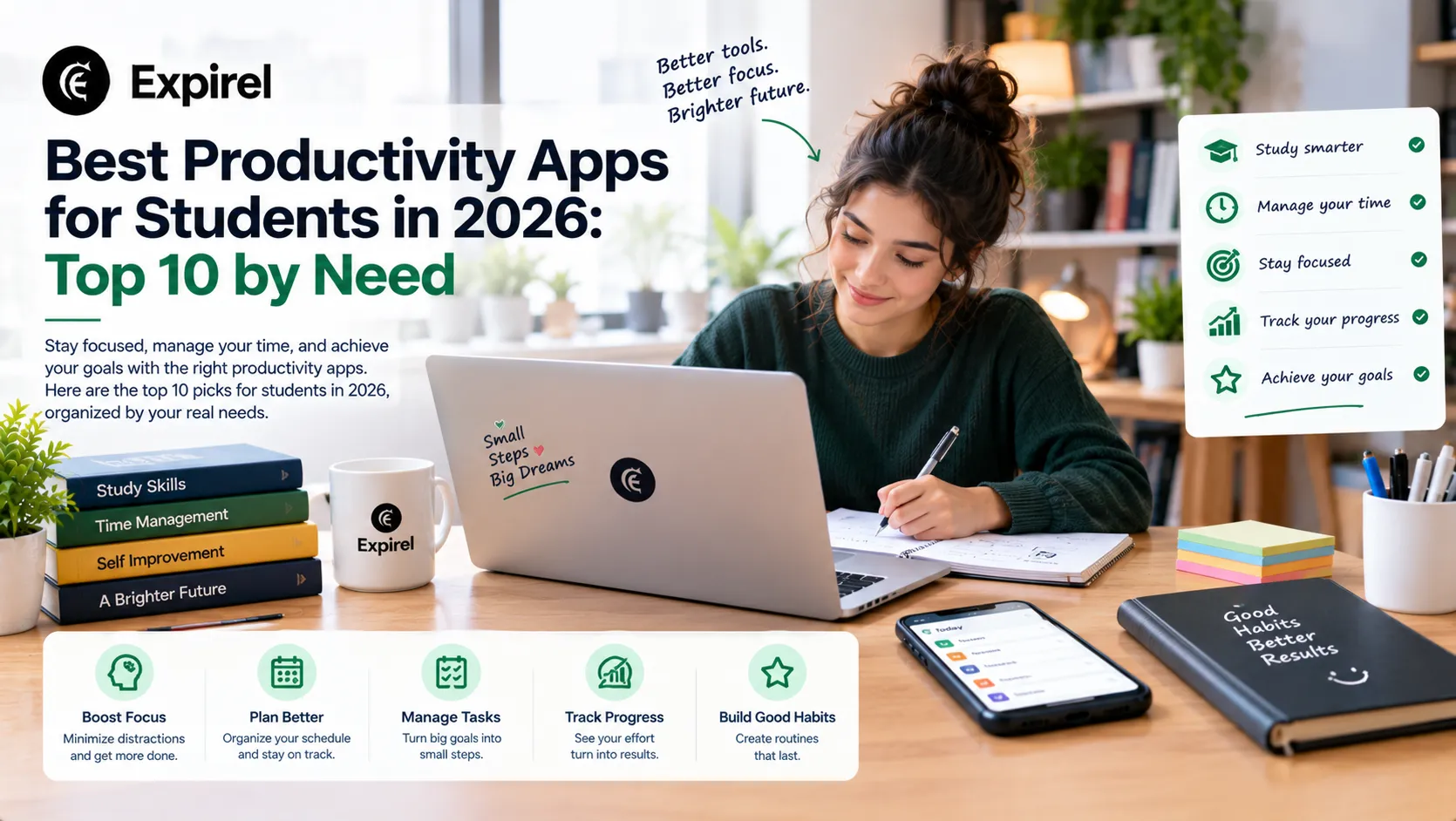
Open the app store on almost any student's phone, and you'll find a graveyard. A planner used for three days. A habit app nobody opens. Two note apps with nothing in them. The best productivity apps for students aren't the ones with the most features. They're the few you'll still open in week ten.
So this guide keeps the list short. We picked ten apps that can carry you through a whole semester, checked what each one costs today, and sorted them by who they suit: college, PhD, law, medical, high school, and even younger kids. You'll also get a 30 minute setup, a table for Windows, Mac, Android and iPhone, and the mistakes that quietly eat study time.
Quick answer: the top 10 productivity apps for students 1. Notion: notes and planning in one place. 2. Google Calendar: time blocking and deadlines. 3. Todoist: fast task capture with due dates. 4. Microsoft OneNote: class notebooks, free through many schools. 5. Obsidian: private notes you own, built for long projects. 6. Anki: spaced repetition flashcards. 7. Forest: a focus timer that keeps you off your phone. 8. Zotero: sources and citations for papers. 9. Gemini Notebook (formerly NotebookLM): study from your own materials. 10. Microsoft To Do: a free, simple task list that syncs with Outlook. Bonus (our own): Expirel, for study habits and renewal reminders. It sits outside the top 10 because it isn't a notes, task or flashcard app. Short version: start with one app for tasks, one for notes and one for review. Add a focus app only if your phone is the problem. |
What students actually need from a productivity app
A work app helps you ship more. A student app has a different job: it should help you learn more, with a workload that changes every week and not much money. So judge every app by four jobs.
Plan: know what's due and when.
Capture: get notes and ideas into one place, fast.
Practice: quiz yourself on what you've learned.
Protect focus: keep your phone from eating your study time.
Two more jobs show up later. You'll need to cite sources once papers start, and you'll need a routine that survives exam week. The ten apps below cover all six.
The three app rule
Pick one app per job and stop at three to five apps. Every extra app is another place for a task to hide. If a new app doesn't replace one you already use, skip it.
How these apps were chosen
Each one needed a usable free option, clear pricing, support for common devices, and a real link to learning, not just tidy lists. Prices and limits come from the companies' own pages wherever we could get them. The usage advice reflects common student routines, not lab tests, and we say so where it matters.
Top 10 productivity apps for students in 2026
Here's the quick view. Details on each app follow the table.
App | Best for | Cost today |
|---|---|---|
Notion | Notes and planning in one place | Free plan. Plus plan free for university students with a school email. |
Google Calendar | Time blocking and deadlines | Free with a Google account. |
Todoist | Quick task capture | Free with 5 personal projects. Pro is $5 a month billed yearly. |
Microsoft OneNote | Class notebooks | Free for eligible students through Microsoft 365 Education. |
Obsidian | Long term notes and thesis work | Free for personal use. Sync is an optional paid add on. |
Anki | Remembering facts | Free on desktop, web and Android. $24.99 on iPhone. |
Forest | Phone free focus sessions | Core focus timer is free. Plus is optional. |
Zotero | Sources and citations | Free app. 300 MB of free file storage. |
Gemini Notebook | Studying from your own sources | Free tier with limits. Higher limits come with paid Google AI plans. |
Microsoft To Do | Simple daily task lists | Free with a Microsoft account. |
1. Notion: best all-in-one workspace
Notion can hold your class pages, reading list, assignment tracker and revision plan in one place. That's its charm and its trap. Plenty of students lose a weekend building a gorgeous dashboard, then study less because they keep tweaking it.
The free plan works fine for one person. And if you're at a university, Notion's help center says you can get the Plus plan for free with a school email address, on a single member workspace. The offer covers university students and teachers, so high schoolers stay on the free plan.
A sensible start: one page per course, one database for assignments, and nothing else for two weeks. Then add only what you miss.
2. Google Calendar: best for time blocking
Here's why a calendar beats a to do list: it shows how much time you actually have. Put your classes in first. Then block study sessions that name a task, like “Chemistry problem set 4, 90 minutes,” instead of just “study chemistry.”
Google Calendar is free with a Google account. If your school lives in Outlook or Apple's apps, use that calendar instead so class invites land where you already look. Deakin University also has a free weekly and term planner guide if you want a template.
3. Todoist: best for fast task capture
Type “Essay draft Friday 6pm” and Todoist turns it into a dated task. When a professor adds an assignment while everyone's packing up, that speed matters.
The free plan gives you 5 personal projects and 3 filter views. Pro costs $5 a month billed yearly ($7 month-to-month) and lifts the limit to 300 projects. Check Todoist's pricing page for today's numbers and any education deal.
The 5 project cap bites if you make one project per course. Try a single project called School with a label for each course. And if you live in Outlook on Windows, Microsoft To Do is a free alternative.
4. Microsoft OneNote: best free notebook through your school
Plenty of schools hand students Word, Excel, PowerPoint, OneNote and Teams at no cost. Microsoft says eligible students and educators can sign up with a valid school email on its education page. OneNote works like a binder: one notebook per course, a section per unit, a page per class.
There's one catch. The access belongs to your school. When your plan ends, services tied to that email, such as OneDrive, stop working. Export your notes before you graduate, not after.
5. Obsidian: best for notes you own
Obsidian keeps your notes as plain files on your own device. You own them, and other apps can open them years from now. The core app is free for personal use. Syncing between devices is an optional paid service, and Obsidian's pricing page says students are eligible for 40% off it. You can also sync the folder through a cloud service you already use.
It suits long projects, like a thesis, where ideas connect over months. It takes longer to learn than Notion. Start with plain folders and one note per source, and add links between notes only when you actually see a connection.
6. Anki: best for remembering facts
Anki shows you each flashcard right before you'd forget it. That's spaced repetition, and it's one of the best ways to hold a mountain of facts, from anatomy to vocabulary. Anki is free on desktop (Windows, Mac and Linux), on the web through AnkiWeb, and on Android through AnkiDroid. On iPhone, AnkiMobile is a one time $24.99 purchase in the US.
Make your own cards from questions you couldn't answer in class, and keep the number of new cards small so reviews never pile up. If flashcards aren't your style, Expirel's guide to the best apps for microlearning covers other short lesson options, including Quizlet and Khan Academy.
7. Forest: best for phone free focus
Forest grows a virtual tree while you focus, and the tree dies if you leave the app. It sounds silly. For students who keep reaching for their phones, that small consequence works. According to Forest, the focus timer, app blocking mode and group focus rooms are free, with an optional Plus plan.
Older reviews mention a $3.99 one time price. Forest has since moved to a free app with optional Plus, so check your app store for today's price. It only times focus and won't manage your tasks.
8. Zotero: best for sources and citations
Zotero saves articles and web pages with one click, stores your PDFs, and builds citations and bibliographies as you write. The app is free. Storage is the limit: Zotero's storage page lists 300 MB free, 2 GB for $20 a year, 6 GB for $60 a year and unlimited for $120 a year.
Your reference list and notes sync without touching that quota. Only attached PDFs count, so sync references first and attach PDFs for the sources you actually use.
9. Gemini Notebook (formerly NotebookLM): best for studying your own materials
Google renamed NotebookLM to Gemini Notebook on July 16, 2026, according to Google's announcement. It's the same standalone product. You upload lecture slides, readings and your notes, then ask questions that it answers from those sources. It can also build study guides and quizzes.
The free tier has usage limits, and higher limits come with paid Google AI plans. Plenty of guides still mention a free year of Google AI Pro for students, but that offer ended in December 2025.
Ask it to quiz you, then check every answer against your own notes. A summary of something you haven't read isn't studying. And check your course's AI policy first. The section on AI study tools below explains why.
10. Microsoft To Do: best simple daily task list
Microsoft To Do is a free task app with one standout idea: My Day, a fresh list each morning where you pick what you'll actually do today. It runs on Windows, Mac, iPhone, Android and the web, and it syncs with Outlook, so flagged emails and Outlook tasks land in the same place. You sign in with a Microsoft account, either a personal one or a school one.
A tip that works well: keep long-term assignments in one list per course, and move only today's tasks into My Day. If you already use Todoist, you don't need both.
Also worth a look: Expirel for study habits and renewals
A quick disclosure: Expirel is our own product, so weigh this section accordingly. It isn't a notes, task or flashcard app, which is why it sits outside the top 10. It covers two gaps the rest leave open.
Study habits: the habit tracker turns things like a daily 15-minute review, a bedtime or a workout into streaks, so your routines survive exam stress.
Things that expire: student ID, visa, passport, transport pass, software trials and subscription renewals. Students pick up lots of “free for a year” offers, and the charge shows up the month you forget.
The free plan tracks 10 items with email reminders and a limited number of habits, and it shows ads. Pro costs $2.99 a month billed annually ($4.99 month-to-month) and adds unlimited habits and WhatsApp reminders. It runs in your browser, so there's nothing to install, which helps on a shared or school laptop.
Productivity apps for students by level and field
Your setup should match your workload. These combinations use the apps above and keep the count low.
High school students
Keep it light: Google Calendar, one task app (Todoist's free plan or Microsoft To Do), and Anki for anything you have to memorize. Notion's free Plus plan is for university students, so use the regular free plan if you want Notion. Add Forest only if your phone is the real problem.
College and university students
A solid college setup is a calendar, Todoist, Notion or OneNote, and Anki. Add Zotero when your first paper lands. Set one goal per course at the start of term. If you'd like an app to track them, Expirel's roundup of goal setting apps has a section for students. Check what your course expects, too. Deakin University suggests about 10 hours of study a week for each unit, which is a useful yardstick.
PhD students
PhD work needs three things: Zotero for sources, Obsidian for literature notes and ideas, and a calendar for supervisor meetings and deadlines. Add a task app and pick only three tasks a day. The real danger is tinkering with tools instead of writing, so cap setup time at one afternoon per term.
Law students
Law school means heavy reading and a big exam per course. Write a short brief for each case you read, with the facts, the issue, the rule, the reasoning and the holding, and file it in one outline per course in Notion or OneNote. Update the outline weekly, not in the last month. Use Anki for rules and their elements, and put every reading and brief deadline in the calendar.
Medical students
Anki is common in medical education, though not universal. In a 2023 survey of 165 medical students at one US school, 56% were daily Anki users, and daily use was linked to higher Step 1 scores but not Step 2. That's a link, not proof, and the authors note that several study methods can lead to similar results. A survey of 318 medical students in Jordan found that only about a quarter used Anki. If you do use it, clear your daily reviews before you add new cards. On an iPhone, budget for the $24.99 app, or review on desktop and through AnkiWeb. Use a calendar for rotations and exams, and a focus timer for question bank blocks.
Kids
For young children, the best productivity app is usually a simple routine and limited screen time, led by a parent. Khan Academy Kids is free, has no ads and is made for ages 2 to 8. A paper or shared checklist works well for chores and homework.
For ages 9 to 12, a shared family calendar and a short daily checklist usually beat a stack of apps. Children under 13 generally need a parent supervised Google account (the exact age varies by country), and Google Family Link lets parents set time limits, school time and downtime schedules. Apple's Screen Time offers similar controls on iPhone and iPad. Teens can follow the high school setup above. At any age, read an app's age rating and privacy policy before you create an account.
If you also want shared reminders for school forms, passports and medicine expiry dates, Expirel's family sharing lets a parent on a paid plan invite family members, who join for free.
Productivity apps for students on Windows, Mac, Android, and iPhone
Choose apps with a web version and sync, so a new laptop or phone never traps your notes.
Device | Free core stack | Watch out |
|---|---|---|
Windows | Microsoft To Do, OneNote through your school, Obsidian, Anki, Zotero | School accounts can expire. Export notes before you leave. |
Mac | Apple Calendar, Reminders, and Notes, plus Todoist or Notion, Obsidian, Anki, Zotero | Built in apps sync only across Apple devices. |
Android | Google Calendar, Todoist or Notion, AnkiDroid (free), Forest | AnkiDroid is free, unlike the iPhone version. |
iPhone and iPad | Apple Calendar and Reminders, Notion or OneNote, AnkiMobile ($24.99), Forest | You can also review cards in a browser through AnkiWeb. Handwriting apps such as Goodnotes suit iPad users. |
What Reddit recommends, and how to use it
A lot of students check Reddit for honest opinions, which makes sense. We don't quote threads here, because they change daily and mix real advice with promotion. What we can say is that student app roundups in 2026 keep naming the same core apps: Notion, Anki, Obsidian, Todoist, Forest and Zotero. That matches the picks above.
When you read a thread on r/GetStudying or r/college, run it through these five questions:
Does the poster study your subject and year?
Is the advice recent? App prices and plans change often.
Does the poster say what they stopped using, and why?
Is the comment really a link, an affiliate offer or self promotion?
Does the app solve one of your four jobs: plan, capture, practice or focus?
How to set up your student productivity stack in 30 minutes
Do this once at the start of term. Each step takes about five minutes.
Pick one app per job. A calendar for time, one task app, one notes app, and Anki for practice.
Enter every date for the term. Copy exam dates and big deadlines from each syllabus into the calendar. Set reminders 7 days and 1 day before major work.
Make one notes page per course. Use the same template each time: date, key ideas, and questions you can't answer yet.
Set a capture rule. Every task goes into your inbox within a minute. You decide when to do it later, at your weekly planning.
Block this week's study sessions. Give each block one task, and end it with 10 minutes of recall without notes.
Anchor one daily review habit. Tie a 15 minute review to something you already do, like breakfast, and track the streak.
Hold a 20 minute review every Sunday. Clear your inbox, plan the week, and check the next two weeks of deadlines.
The study session loop
Use the same loop every time: plan the task in your calendar, focus with your phone away, recall by answering questions without notes, then capture what you missed as a new card or note. It works because it ends with testing, not rereading.
Why some apps help you learn more than others
A major 2013 review by John Dunlosky and colleagues, summarized by the Association for Psychological Science, rated ten popular study techniques. Practice testing and spacing your sessions over time scored highest. Rereading and highlighting scored low.
So the best apps make you pull information out, not just file it away. Anki does that with cards. Gemini Notebook can do it with quizzes. A calendar spreads your sessions across days. Jefferson University's Center for Academic Success gives similar advice: plan study time visually and test yourself with questions.
Here's a rule of thumb, not a research finding: spend at least a third of every study session answering questions without your notes.
Best free productivity apps for students: what you really pay
Most of this stack costs nothing. The table shows where each free tier ends.
App | Free | Paid, if you need it | Note |
|---|---|---|---|
Notion | Free plan. Plus free for university students. | Paid plans for teams | Single member only |
Google Calendar | Free | None needed | |
Todoist | 5 projects, 3 filters | Pro $5 a month yearly, $7 monthly | No standing student price confirmed |
Microsoft To Do | Free | None needed | Needs a Microsoft account |
OneNote (Microsoft 365 Education) | Free via eligible school | Personal plans if you leave school | Ends with school email |
Obsidian | Free for personal use | Sync about $4 a month billed annually | Students get 40% off Sync |
Anki | Free on desktop, web, Android | $24.99 on iPhone, one time | US price |
Forest | Core timer and blocking | Plus subscription | Check store price |
Zotero | App plus 300 MB storage | 2 GB $20, 6 GB $60, unlimited $120 a year | Only attached files count |
Gemini Notebook | Free tier with limits | Google AI plans | Free student AI year ended |
Expirel | Free plan: 10 items, email reminders, ads | Pro $2.99 a month billed annually | WhatsApp is on paid plans |
Three ways to pay less
Use your school email first. It unlocks Notion's free Plus plan and Microsoft 365 Education before you spend a cent, and Obsidian offers students 40% off Sync.
Favor one time purchases for single use tools. The $24.99 Anki app costs less over four years than most subscriptions.
Track every renewal. Free trials and student offers end quietly. Put each renewal date into a reminder system, such as Expirel's multi channel alerts (email on every plan, WhatsApp on paid plans), and cancel what you've stopped using before the charge.
Use AI study tools without risking your grades
AI tools like Gemini Notebook can help you study, but your school sets the rules for graded work. Keep five habits:
Read the AI policy in every syllabus.
Use AI to quiz, explain and organize. Don't use it to draft graded work unless your instructor allows it.
Check every fact against your notes or textbook.
Keep your own sources in the notebook so answers stay tied to your course.
Say so when your school asks you to disclose AI help.
Common mistakes students make with productivity apps
Building the perfect system before using it. Run a simple setup for 14 days, then change one thing.
Running several task apps. Keep one inbox.
Rereading notes instead of testing yourself. Turn each page into five questions.
Mixing notes and tasks on one long page. Notes live in one app, tasks in another.
Leaving notifications on everywhere. Allow alerts only for deadlines and one study reminder.
Paying before trying the free tier. Use the free plan for a full month first.
Forgetting to export school account notes. Back them up every term, not on graduation day.
Copying a friend's setup. Choose by your four jobs, not by what looks good online.
Three student scenarios
These are made up to show how the pieces fit. They aren't case studies.
First year undergraduate, overwhelmed. She has five courses and no system. She drops every syllabus date into Google Calendar, makes one OneNote notebook per course, and runs Todoist with a label for each course. That's three apps. A Sunday review keeps it all current.
Medical student before exams. He does his Anki reviews first and adds new cards second. He blocks question bank sessions in the calendar and runs Forest during them. His one rule: no new cards on days when reviews are behind.
High school student with a phone problem. He uses Google Calendar blocks, a free task list and Forest. He leaves his phone in another room for two 45-minute sessions each evening and quizzes himself in the last ten minutes of each one.
Conclusion: build a small stack and use it
The best productivity apps for students are the ones you open every day. Start with three: a calendar, a task app and a notes app. Add Anki for practice, and a focus tool if your phone gets in the way. Review the setup every Sunday and drop whatever you didn't use.
If you want one place to track study streaks and the renewals that quietly drain your budget, start free with Expirel and add your first habit today.
Frequently asked questions
Q: What are the best productivity apps for students?
Pick apps that cover four jobs: planning, notes, practice and focus. A strong core is Google Calendar, Todoist, Notion or OneNote, and Anki. Add Forest if your phone distracts you and Zotero once papers start.
Q: Which productivity apps for students are free?
Google Calendar, Notion's free plan, Todoist's free plan, Obsidian, Zotero, Anki on desktop and Android, Forest's core timer, and OneNote through eligible schools are all free. Some have limits, such as Todoist's 5 projects.
Q: What is the best productivity app for college students?
Notion is the most flexible for notes and planning, and its Plus plan is free for university students with a school email. Todoist is quicker for tasks. Pair either one with a calendar and Anki.
Q: What productivity apps do medical students use?
Many medical students use Anki for spaced repetition, a calendar for rotations and exams, and a focus timer for question bank sessions. Zotero helps once research projects begin.
Q: What is the best app for PhD students?
Zotero for sources is the standard choice. Add Obsidian for literature notes and a calendar for supervisor meetings. Keep setup time small so writing stays the priority.
Q: Is Notion free for students?
The free plan is free for everyone. University students and teachers can get the Plus plan free with a school email, on a single-member workspace. High school students use the free plan.
Q: How many productivity apps should a student use?
Three to five. Use one for time, one for tasks, one for notes and one for practice. Add a focus or citation app only when you need it.
Q: What are the best productivity apps for kids?
Young children do best with a parent-led routine and limited screen time. Khan Academy Kids is free with no ads for ages 2 to 8. For ages 9 to 12, try a shared family calendar and a short checklist, with parental controls such as Google Family Link.

Fahad Ahmad
Founder of EXPIREL · Digital Entrepreneur · Product Management Specialist
Fahad Ahmad is the founder of EXPIREL and a digital entrepreneur with over 10 years of experience in SaaS development, SEO, and digital product creation. He focuses on building practical solutions that help individuals and businesses manage product expiration dates, organize inventory, track habits, and improve daily productivity.
Through EXPIREL, Fahad shares actionable guides, product management tips, barcode scanning tutorials, and research-backed insights designed to help users reduce waste, stay organized, and make smarter decisions.
Related Articles
View all
Best Productivity Chrome Extensions in 2026: The Only List That Tells You How to Actually Use Them
September 8, 2026
13 Best productivity Chrome extensions in 2026 with setup tips, privacy ratings, Cold Turkey vs StayFocusd, Google extensions, and persona-based picks.
Best Productivity Planners: A Research-Backed Guide for 2026
July 21, 2026
Which productivity planner actually fits how you work? Compare 15 top picks for ADHD, iPad, work, and paper by price, pros, and cons.
Dinner Productivity vs Productivity Recipe: What Is the Difference and Which One Do You Actually Need?
July 13, 2026
Not sure how dinner productivity and a productivity recipe differ? This guide compares both clearly, shows how they work together, and links.