70+ Productivity Tips and Hacks That Actually Work in 2026 (For Work, Students, ADHD, and Remote Workers)
Most productivity systems fail in 30 days. Here are 70+ tips and hacks built for how you actually work, covering ADHD, remote work, students, & office workers.
Most productivity advice gives you the same recycled list. Wake up early. Use the Pomodoro technique. Clear your inbox. You have read it all before, tried half of it, and ended up back at square one, wondering why nothing sticks.
The real problem is not that those tips are wrong. It is that they are presented without context, without a system, and without any understanding of why your specific situation makes productivity harder than it looks on paper.
Productivity tips and productivity hacks are not the same thing. A productivity tip is a principle, a mindset shift, or a behavioural change that builds over time. A productivity hack is a shortcut, a system tweak, or a tool that removes friction immediately. You need both, and you need them organized for your actual life, not a generic self-improvement fantasy.
A productivity system is a structured set of habits, tools, and workflows that consistently move you from intention to output, regardless of motivation levels on any given day.
This guide covers both in full depth: 70+ actionable tips and hacks organized by situation, audience, and work type, with honest context about what works, what does not, and why.
Why Most Productivity Systems Fail Within 30 Days
Before diving into the tips, you need to understand the three structural reasons a productivity system collapses. If you skip this section, you will apply the right tactics to the wrong foundation and wonder why nothing sticks.
Reason 1: Optimizing for Busy, Not for Output
Most people confuse activity with progress. Checking emails, attending meetings, and reorganising their task list all feel productive. None of them moves real work forward. A study by Microsoft found that the average knowledge worker is only productive for about 3 hours in an 8-hour workday. The rest is reactive work, low-value tasks, and distraction recovery.
The fix is simple but uncomfortable: stop measuring hours worked and start measuring outputs completed.
Reason 2: Building a System That Requires Perfect Conditions
If your productivity system only works when you sleep 8 hours, have a clear calendar, and feel motivated, it is not a system. It is a best-case scenario. Real productivity systems have a minimum viable version that works on bad days, too.
Reason 3: Skipping the Energy Layer
Productivity is not just time management. It is energy management. You can have 8 free hours and produce nothing if your cognitive energy is depleted. Ignoring your energy peaks and valleys is the most common reason tips that work for others fail for you.
The Productivity Framework That Works Before Any Tip
Before you apply any tip or hack, build this three-layer foundation. Every productivity recommendation in this guide sits on top of these three elements.
Layer 1: Clarity (What Actually Needs to Get Done)
Write down every active project and commitment you have right now. Not a to-do list. A complete inventory. Most people carry 20 to 40 open loops in their heads at any given time. That cognitive load alone kills focus before you even start working.
Once you have your inventory, identify your 3 Most Important Tasks (MITs) for the week. These are the tasks that, if completed, make everything else easier or irrelevant.
Layer 2: Structure (When You Do What)
Match your task types to your energy levels. Deep work (writing, coding, analysis, strategy) belongs in your peak energy window. Admin tasks, email, and meetings belong in your low-energy windows. Most people do this backwards: they check email first thing in the morning and save their real work for the afternoon when their brain is already tired.
Layer 3: Review (Weekly Check-In)
Without a weekly review, your system decays within two weeks. Every Sunday or Monday morning, spend 15 minutes on three questions: What did I complete? What is still open? What needs to change next week? This one habit compounds faster than any individual productivity tip.
Tools like Expirel make this easier by tracking recurring tasks and sending reminders for weekly reviews so they do not slip off your radar the moment life gets busy.
Productivity Tips for Work and Office Employees
These are productivity tips for office work and daily professional environments. They focus on reducing interruptions, protecting deep work time, and managing the most common office productivity killers.
The Single Tab Rule
Every open browser tab is a standing invitation to context-switch. Before starting any focused work session, close every tab that is not directly related to the task at hand. This one change reduces task-switching friction by a significant margin because the visual cue of other tabs is enough to trigger distraction even without clicking on them.
The Two-Minute Rule for Office Communication
If a response, decision, or action takes less than two minutes, do it immediately. If it takes longer, schedule it. The accumulation of tiny deferred responses is what fills most professionals' afternoons with catch-up work that should have been done in the morning.
Protect Your First 90 Minutes
The first 90 minutes of your workday are your most cognitively valuable. Guard them aggressively. No meetings, no email, no Slack. Use this window exclusively for your MIT. If your calendar is already filled at 9 am, this is the most important scheduling conversation you need to have with your manager or team.
Productivity Tips for Outlook Users
If you live in Microsoft Outlook, these three settings will recover at least 45 minutes per day:
Turn off all desktop notifications. Set specific times to check email: once mid-morning, once after lunch, once before the end of the day.
Use the Focused Inbox feature. It filters low-priority emails automatically and keeps your primary view clean.
Create rules for recurring senders. Route newsletters, automated reports, and CC-only emails directly to folders so they never hit your primary inbox.
Use categories and flags strategically. Flag only items that require action from you. Colour-code by project or urgency.
Productivity Tips for Remote Workers
Remote work removes the social pressure of an office environment, which is both a freedom and a trap. These tips address the specific challenges remote workers face:
Create a hard start and end time. Without physical commute boundaries, work bleeds into personal life. A consistent shutdown ritual (close laptop, write tomorrow's top three tasks, then stop) creates a psychological boundary that office workers get automatically.
Separate your communication tools by urgency. Slack or Teams for same-day matters. Email for non-urgent. Phone for emergencies. When everything arrives in the same channel, everything feels equally urgent.
Use video calls sparingly and asynchronously where possible. Every 30-minute video call requires 10 to 15 minutes of mental recovery time for most people. Async video tools or written updates work better for status reports and non-urgent discussions.
Track your output visibly. Remote workers often feel pressure to appear busy rather than be productive. Track your weekly outputs in a visible place, even just a shared doc with your manager, so performance is measured by results rather than online status.
Build movement into your schedule. Remote workers move far less than office workers. A 10-minute walk between work blocks is not wasted time. It restores cognitive energy and reduces the afternoon slump that kills late-day productivity.
Productivity Tips for Excel Power Users
If you work in Excel regularly, these three habits save hours per week:
Learn 10 keyboard shortcuts. Ctrl+Shift+L (filter), Ctrl+T (table), Alt+= (autosum), F2 (edit cell), Ctrl+D (fill down). Each one you know saves 3 to 5 seconds per use, which adds up to 20 to 30 minutes per day for heavy Excel users.
Use named ranges instead of cell references. =SUM(Revenue) is both readable and immune to accidental formula breaks when rows are inserted or deleted.
Build a template library. Every time you build a report or analysis from scratch that you will need again, save it as a template. Within three months, this library will become one of your most valuable work assets.
Productivity Hacks That Actually Work in 2026
These are not gimmicks. These are structural changes to how you work that remove friction, reduce decision fatigue, and protect your best cognitive hours. Most productivity hacks for work fail because they add complexity. The ones below reduce it.
Hack 1: The 1-3-5 Daily Task Rule
Each day, plan to complete: 1 big task, 3 medium tasks, and 5 small tasks. This forces you to be realistic about what a workday can actually hold. It prevents the 20-item to-do list that kills morale by the end of the day when 14 items remain untouched.
Hack 2: Time Blocking With Buffer Slots
Time blocking works. Time blocking without buffer slots does not. Add a 15-minute buffer after every 90-minute block. Real work always takes slightly longer than planned, meetings run over, and your brain needs transition time between context switches. Buffer slots absorb these realities without destroying your schedule.
Hack 3: The Friction Audit
Spend 30 minutes listing every task you consistently procrastinate on. For each one, ask: what makes this harder than it needs to be? Usually, the answer is one specific friction point (the file is in the wrong place, the tool is slow to load, the first step is unclear). Remove that friction point, and the task becomes easier to start.
This is one of the most underrated productivity hacks for employees because it fixes the root cause of procrastination rather than adding more willpower-based tips on top.
Hack 4: Batch Similar Tasks
Every time you switch between different types of tasks, your brain pays a switching cost. Writing an email, then reviewing a spreadsheet, then jumping on a call, then writing again fragments your focus. Batch all emails together. Batch all calls together. Batch all creative work together. This single change can recover 60 to 90 minutes of effective productive time per day.
Hack 5: The Two-Day Rule for Habit-Based Work
For any recurring task or habit-based work (daily reports, weekly reviews, content creation schedules), never miss two days in a row. Missing one day is human. Missing two days starts to break the behavioural pattern. This rule, combined with a tracker like Expirel that sends reminders for recurring tasks, keeps consistency without relying on willpower alone.
Hack 6: Use Next-Gen AI Tools as a First Draft Layer
In 2026, the most impactful productivity hack for entrepreneurs and knowledge workers is using AI tools to generate first drafts of anything: emails, documents, briefs, code stubs, and meeting agendas. You never start from a blank page. You start from a rough draft and edit it into shape. The same logic applies to visuals: an AI Image Generator such as Higgsfield gives you a rough first version of a graphic or thumbnail to refine, instead of opening a blank canvas. Editing is 3 to 5 times faster than creating from scratch for most people.
This is what "productivity hacks with next-gen tech" actually means in practice. It is not about automating your work. It is about removing the friction of starting.
Hack 7: Automate Your Recurring Reminders
The biggest hidden productivity drain for adults is mental overhead: remembering what needs to happen and when. Every time you remember a recurring task in the middle of unrelated work, you interrupt your focus. Tools like Expirel handle this by tracking recurring tasks with custom expiry-based reminders, so you never mentally carry those open loops. Your brain stays free for actual work.
Productivity Tips for Students and College Students
Students face a specific challenge: they have more autonomy over their schedule than any other group, which makes self-imposed structure both harder and more necessary. These productivity tips for students and college students address the real failure points.
The Sunday Reset
Every Sunday, complete these five steps before the week starts:
Review everything due in the next 7 days across all courses
Identify your 3 most important academic tasks for the week
Block study time in your calendar before social events get added
Prepare your study space and materials the night before
Set a specific sleep schedule for the coming week and write it down
This takes 20 minutes and eliminates the Sunday anxiety that most students experience. More importantly, it stops the reactive week where you only work on what feels most urgent rather than what matters most.
Active Recall Over Re-Reading
Re-reading your notes is the most comfortable study method and the least effective one. Active recall (testing yourself on material without looking at it) produces 2 to 3 times better retention than passive re-reading, according to cognitive science research. Close your notes, write down everything you remember, then check what you missed. This process feels harder because it is harder. That difficulty is the learning.
Study in Public Spaces Strategically
Library vs coffee shop vs dorm room: each environment produces a different type of focus. Use libraries for deep reading and writing where silence matters. Use coffee shops for creative work or problem-solving, where ambient noise actually improves divergent thinking for many people. Never try to do deep work in your dorm room if your roommate is present and active.
Productivity Tips for Academic Work
For research papers, essays, and academic writing specifically:
Write the introduction last. Start with body sections where the argument is clearer. Introduction quality improves dramatically once you know what you actually argued.
Use the outline-first method. A 30-minute outline session before writing saves 2 to 3 hours of structural revision later.
Set a word count target per session, not a time target. "Write for 2 hours" produces variable output. "Write 500 words" produces consistent progress.
Cite as you write. Tracking down references after the draft is one of the most avoidable time drains in academic writing.
Productivity Tips and Hacks for ADHD
Standard productivity advice is largely useless for people with ADHD because it assumes a neurotypical relationship with time, motivation, and attention. These productivity tips for ADHD and productivity hacks for ADHD are built around how the ADHD brain actually works.
Work With Interest, Not Willpower
The ADHD brain does not respond to importance or urgency the way neurotypical brains do. It responds to interest, novelty, challenge, and urgency that feels real rather than self-imposed. Instead of forcing yourself to work on boring tasks through willpower, engineer interest into them: add a timer for urgency, work alongside someone else for social pressure, or gamify the task by tracking completion in a visible way.
Body Doubling
Working in the presence of another person, even virtually, significantly improves task completion for people with ADHD. This is called body doubling. It does not require the other person to help you or even interact with you. Just having someone else working nearby creates enough social accountability to sustain focus. Virtual co-working rooms and focus apps provide this for remote workers and students.
External Structure Over Internal Discipline
People with ADHD consistently succeed when they externalize structure rather than relying on internal self-regulation. This means:
Physical timers on your desk, not phone timers that you can dismiss without looking up
Visible to-do lists on paper or whiteboards, not buried in an app you have to open
Recurring reminders with specific context, not vague calendar blocks
Habit trackers with streak visibility, not mental notes to yourself
Expirel works particularly well for ADHD because it tracks recurring tasks with expiry-based reminders, which creates the kind of clear, external deadline signal that ADHD brains respond to naturally.
The 5-Minute Rule for Starting
Initiation difficulty (not laziness) is one of the core ADHD challenges. The 5-minute rule works by lowering the commitment threshold to zero: tell yourself you will work on the task for exactly 5 minutes, then stop if you want to. In practice, starting is the hardest part. Once you begin, continuation is significantly easier. The rule is not about doing 5 minutes of work. It is about tricking the initiation barrier.
Chunked Deadlines
Large projects with a single distant deadline are an ADHD trap. Break every project into weekly or even daily micro-deadlines. Make these external by telling someone else about them or writing them in a shared tool. Invisible deadlines do not exist for the ADHD brain.
Productivity Hacks for Entrepreneurs and Freelancers
Entrepreneurs and freelancers face a unique productivity problem: they are both the worker and the manager, which means no one else sets their schedule, enforces their deadlines, or protects their focus time. These productivity hacks for entrepreneurs and productivity hacks for freelancers address that specific challenge.
The CEO Morning vs Worker Afternoon Split
Split your workday into two distinct modes. Mornings are for CEO mode: strategy, planning, sales, key decisions, and creative work that drives revenue. Afternoons are for worker mode: execution, client communication, admin, and operational tasks. Most entrepreneurs do this backwards, spending mornings on email and client work, then trying to think strategically when they are mentally depleted.
The Weekly Offer Audit
Every week, review every active project, client, or commitment and ask: Does this belong in my workload right now? Freelancers and entrepreneurs often accumulate work that made sense 6 weeks ago but no longer fits their current priorities. A weekly audit prevents the slow scope creep that kills focused output over time.
Productize Your Repeatable Work
Every time you complete a service or task for the second time, document the process. By the third time, turn it into a template or system. By the fifth time, it should run mostly on autopilot or be delegatable. Productizing your repeatable work is how freelancers scale their output without scaling their hours.
Revenue-First Scheduling
Before scheduling anything else, block time for revenue-generating activities. Not admin, not learning, not networking. The work that directly produces income goes first. Everything else fills the remaining space. This sounds obvious, but most freelancers schedule the revenue work last and wonder why their income plateaus.
Productivity Hacks for Remote Workers Who Also Freelance
The combination of remote work and freelancing creates the most severe boundary problems. Use physical location shifts to signal work mode changes: work from a desk for client work, move to a couch or different room for learning and planning, and leave your workspace entirely for personal time. Your brain associates locations with mental modes faster than any scheduling app can.
Productivity Tips for Beginners: Where to Start
If you are new to productivity systems and feel overwhelmed by the volume of advice available, start here. These are the five most important productivity tips for beginners, ordered by impact.
Step 1: Write Everything Down (Immediately)
The single most impactful productivity change for any beginner is getting tasks, ideas, and commitments out of your head and into a trusted external system. It does not matter if that system is a notebook, a phone app, or a sticky note. The act of capturing eliminates the mental overhead of trying to remember, which frees cognitive capacity for actual work.
Step 2: Pick One System and Use It for 30 Days
The biggest beginner mistake is switching systems every two weeks because the current one does not feel right. No system feels natural in the first two weeks because the habit of using it has not formed yet. Pick one system (paper planner, digital app, bullet journal) and commit to it for a full 30 days before evaluating.
Step 3: Identify Your Peak Energy Window
Spend one week tracking your energy level (1 to 5) every two hours. By the end of the week, you will see a clear pattern of when you are mentally sharpest. Move your most important tasks into that window and guard it from interruptions. This single change often produces more output improvement than any other single tip.
Step 4: Build a Shutdown Ritual
End each workday with a 5-minute ritual: write tomorrow's top three tasks, close all tabs and apps, and do one symbolic action that signals the end of work (close the laptop, put away your notebook, make a cup of tea). This ritual reduces work-related mental intrusion during personal time and improves sleep quality, which directly improves next-day focus.
Step 5: Track One Habit Before Adding More
Before building a full productivity system, track one foundational habit for 30 days. The best choice for most beginners is either a morning planning habit (5 minutes of planning before starting work) or a weekly review habit. Expirel makes this easy with streak tracking and reminders that keep you accountable without requiring daily manual effort.
Mistakes People Make with Productivity Tips and Hacks
Mistake 1: Collecting Tips Instead of Implementing Them
Reading about productivity feels productive. It is not. Most people who consume large amounts of productivity content implement almost none of it. Pick one tip from this article, apply it for 14 days, then evaluate before adding another. Implementation beats accumulation every time.
Mistake 2: Using Too Many Tools
Every tool you add to your productivity system is another thing to check, update, and maintain. The most effective productivity systems use the minimum number of tools necessary. Many people use a task manager, a note app, a calendar, a habit tracker, a time tracker, and a project manager simultaneously and wonder why they spend more time managing their system than doing actual work.
Mistake 3: Ignoring Recovery as Part of Productivity
Rest is not the opposite of productivity. It is a prerequisite for it. Sleep, movement, and breaks are not rewards you earn after being productive. They are inputs that make productivity possible. Cutting them to create more work time produces diminishing returns within 48 hours and a cognitive debt that takes days to recover from.
Mistake 4: Measuring Input Instead of Output
Hours worked is a terrible productivity metric. Completed outputs are better. If you worked 10 hours but finished nothing meaningful, you were not productive. If you worked 4 hours and completed your three most important tasks, you were. Shift your measurement from time to results, and your behaviour will follow.
Mistake 5: Not Adjusting for Season and Context
What works in January when you are energised and motivated often does not work in March when you are tired and overwhelmed. Good productivity systems have a version for high-energy periods and a minimum viable version for low-energy periods. Build both before you need them.
Productivity Tips vs Productivity Hacks: Quick Reference
Category | Productivity Tips (Long-Term) | Productivity Hacks (Quick Wins) |
Focus | Weekly review, energy mapping, shutdown ritual | 1-3-5 rule, time blocking, friction audit |
Work | MIT-first mornings, batch communication | Two-minute rule, browser tab close, Outlook rules |
Students | Active recall, outline-first writing | Sunday reset, cite as you write |
ADHD | External structure, chunked deadlines | 5-minute rule, body doubling |
Freelancers | Revenue-first scheduling, productize work | CEO morning split, weekly offer audit |
Remote | Hard start and end times, async communication | Location-based mode switching, visible output tracking |
Tools and Workflows Worth Using in 2026
These tools earn their place in a productivity system by removing friction rather than adding complexity.
Use Case | Tool or Approach |
Recurring task reminders | Expirel (expiry-based reminders for habits and recurring tasks) |
Deep focus timing | Physical timer or Focus app with strict session limits |
Task management | One tool only: Notion, Todoist, or paper. Not multiple. |
Email management | Scheduled check-in windows plus Outlook Focused Inbox or Gmail filters |
AI as first draft layer | Use AI for email drafts, document outlines, and meeting agendas |
Weekly review | 15-minute Sunday review with a fixed three-question template |
Habit tracking | Expirel for recurring habits with streak tracking and custom reminder schedules |
Conclusion
Productivity is not about squeezing more tasks into less time. It is about reliably completing the work that matters most, with the energy required to do it well, in a way that you can sustain for years rather than weeks.
Start with the three-layer foundation: clarity on what matters, structure that matches your energy, and a weekly review that keeps the system honest. Then add the tips and hacks from this guide that fit your specific situation: your work type, your challenges, and your current capacity.
You do not need all 70 tips. You need 5 to 7 that address your actual bottlenecks right now.
If recurring task management and habit consistency are part of your bottleneck, Expirel handles that layer without adding system complexity. It tracks what needs to happen, when it needs to happen, and reminds you before things slip. That frees your brain to focus on the work itself rather than the management of the work.
Pick one thing from this guide. Apply it for 14 days. Then come back for the next one.
Frequently Asked Questions
Q: What is the single most effective productivity tip for someone always busy but never productive?
Stop measuring productivity by hours worked and start measuring by outputs completed. Define your three most important tasks for each week before the week starts, and protect your first 90 minutes of each workday for those tasks only. Busy and productive are not the same thing. This one shift reorients your entire day around results rather than activity.
The deeper fix is a weekly review: 15 minutes every Sunday, asking what you completed, what is still open, and what needs to change. Without this, even good daily habits drift within two weeks.
Q: What are the best productivity hacks for ADHD?
The three most effective productivity hacks for ADHD are body doubling (working alongside another person), external structure (physical timers, visible lists, expiry-based reminders), and the 5-minute rule for overcoming task initiation.
Standard productivity advice fails ADHD brains because it relies on internal motivation and self-discipline. ADHD productivity hacks work by removing reliance on internal regulation entirely and replacing it with environmental and external triggers. Tools like Expirel that send reminders for recurring tasks reduce the mental overhead of remembering what needs to happen, which is one of the biggest daily friction points for ADHD.
Q: What are the best productivity tips for students?
The five highest-impact productivity tips for students are: the Sunday reset (planning your full week before it starts), active recall over re-reading, outline-first writing for essays, citing sources as you write, and setting word count targets instead of time targets for writing sessions.
The underlying principle is replacing passive, comfortable study behaviours with active, slightly uncomfortable ones. Active recall feels harder than re-reading because it is harder. That difficulty is the learning process.
Q: What are productivity hacks for remote workers that actually work?
The most effective remote work productivity hacks are: a hard shutdown ritual with a physical signal, location-based mode switching, async-first communication to reduce meeting load, and visible output tracking to replace the social accountability of an office.
Remote work removes the structure that office environments provide automatically. The best remote productivity hacks recreate that structure intentionally rather than relying on self-discipline to fill the gap.
Q: What are productivity hacks for freelancers and entrepreneurs?
Revenue-first scheduling, the CEO morning and worker afternoon split, and the weekly offer audit are the three most impactful productivity hacks for freelancers and entrepreneurs.
The core challenge for freelancers is that they control their schedule entirely, which creates freedom and drift simultaneously. Without a deliberate structure, reactive work (client emails, admin tasks, and low-value work that feels urgent) consumes the time that should go to revenue-generating and strategic activities.
Q: What does productivity hack actually mean?
A productivity hack is a specific, often counterintuitive system change that reduces friction or removes a barrier to output faster than a behavioural habit change would.
Unlike a productivity tip (which builds over time through repeated behaviour), a hack produces a visible improvement quickly, often within the same day or week. Closing all browser tabs before focused work, batching similar tasks together, and using AI for first drafts are all productivity hacks because they reduce friction immediately rather than requiring habit formation first.

Fahad Ahmad
Founder of EXPIREL · Digital Entrepreneur · Product Management Specialist
Fahad Ahmad is the founder of EXPIREL and a digital entrepreneur with over 10 years of experience in SaaS development, SEO, and digital product creation. He focuses on building practical solutions that help individuals and businesses manage product expiration dates, organize inventory, track habits, and improve daily productivity.
Through EXPIREL, Fahad shares actionable guides, product management tips, barcode scanning tutorials, and research-backed insights designed to help users reduce waste, stay organized, and make smarter decisions.
Related Articles
View all
Best Productivity Chrome Extensions in 2026: The Only List That Tells You How to Actually Use Them
September 8, 2026
13 Best productivity Chrome extensions in 2026 with setup tips, privacy ratings, Cold Turkey vs StayFocusd, Google extensions, and persona-based picks.
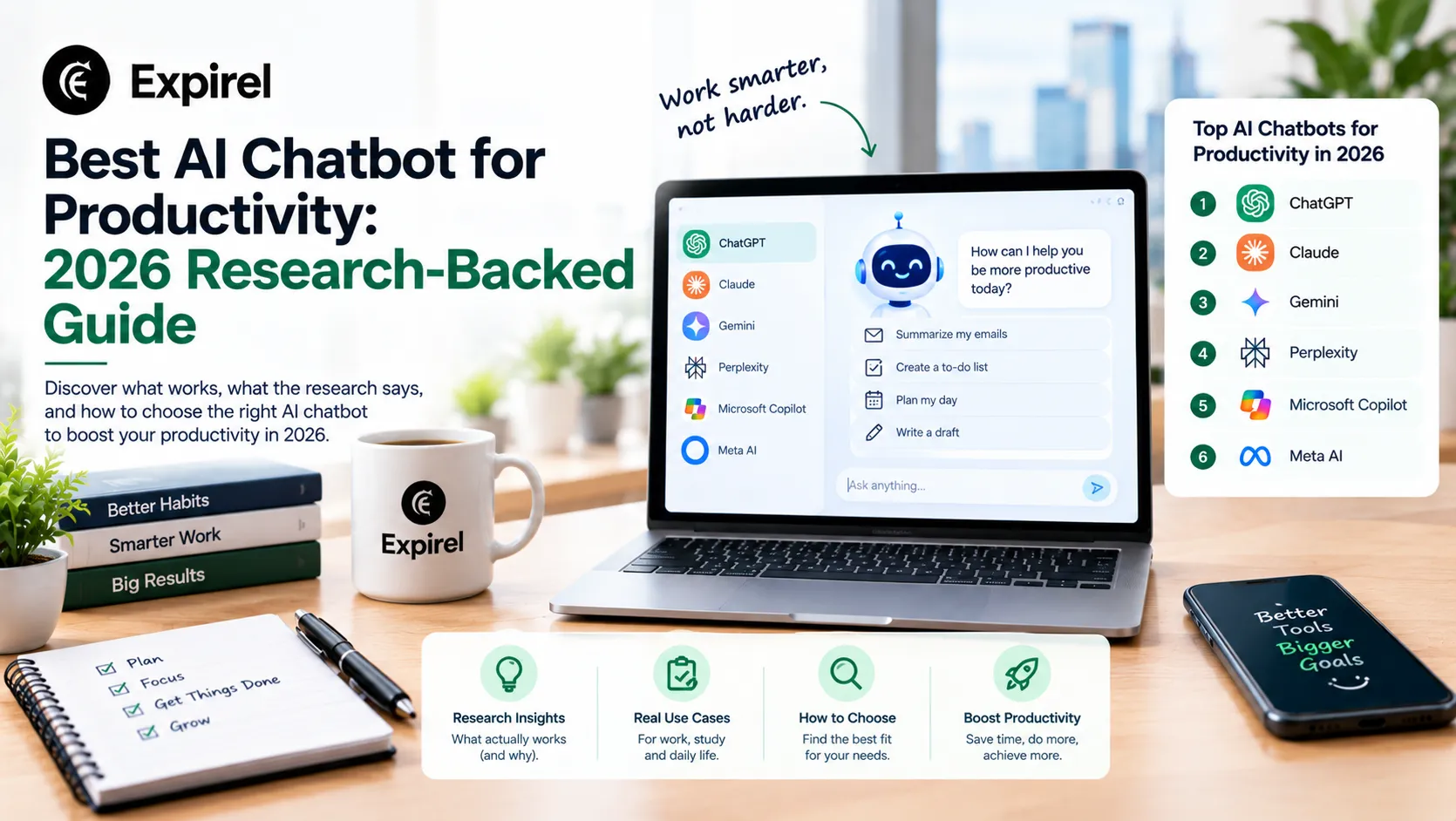
AI Chatbot for Productivity: Complete 2026 Guide: Research, Pricing, and Which One Actually Works for You
September 29, 2026
Verified 2026 pricing, peer-reviewed research, and honest comparisons of the best AI chatbots for productivity, customer service, and website engagement.
Habits for Productivity: The Ones That Actually Compound, by Life Stage and Style
July 31, 2026
Most habit lists ignore fit. See daily, micro, morning, and Japanese habits for productivity, matched to your actual energy and life stage.