Best Productivity Planners: A Research-Backed Guide for 2026
Which productivity planner actually fits how you work? Compare 15 top picks for ADHD, iPad, work, and paper by price, pros, and cons.
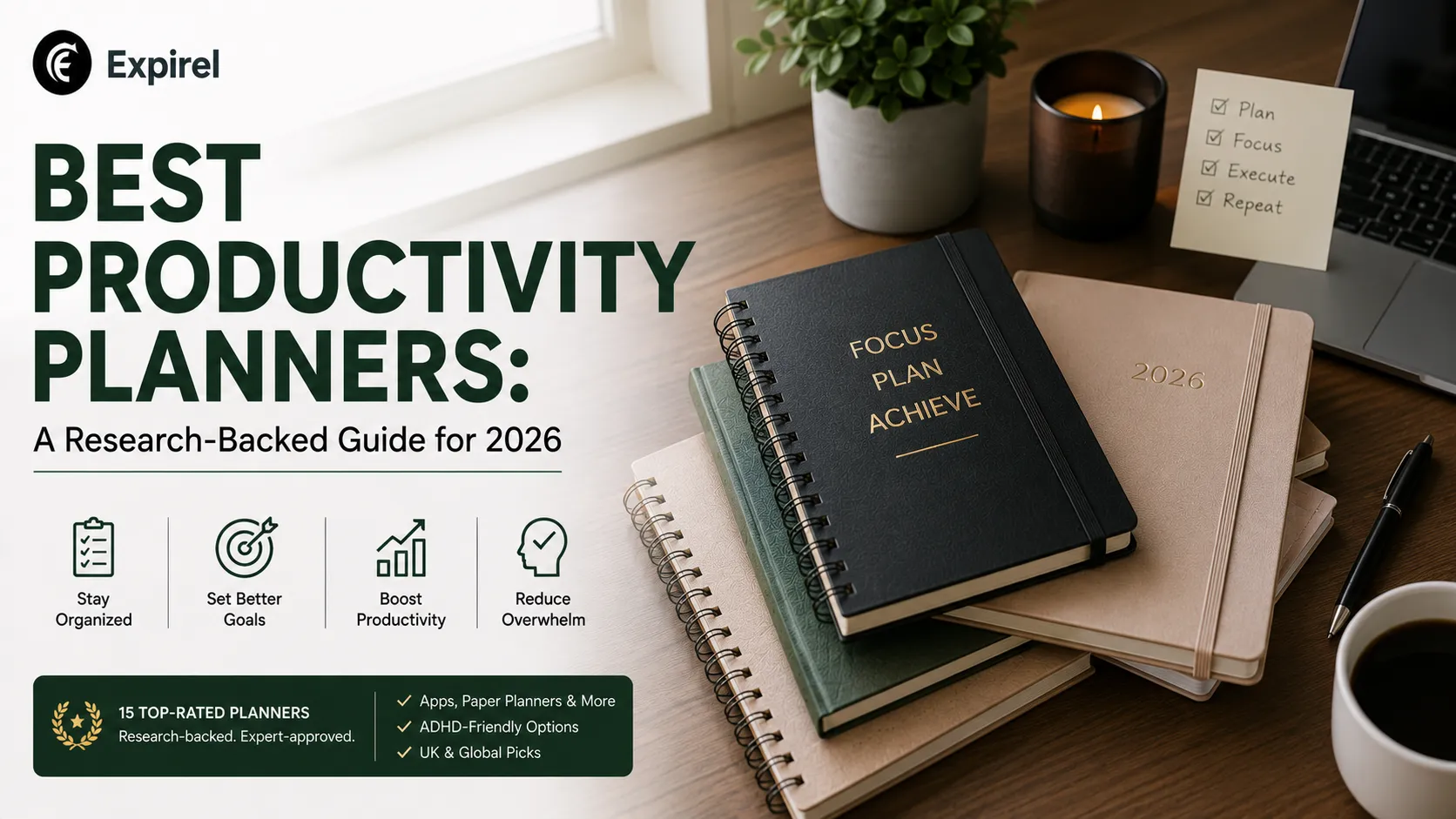
The best productivity planner is not the one with the most features or the highest price. It is the one that matches how your brain actually plans, which is why a planner that works for a neurotypical project manager can fail for someone with ADHD, and why a beautifully designed paper planner can sit untouched on a desk next to a phone that already has three planning apps installed on it.
This guide compares the strongest options across every format people actually search for: physical notebooks, guided journals, phone and iPad apps, digital planner templates, and UK-specific stationery brands. Each recommendation is based on independently cross-referenced reviews, verified user feedback, and documented feature sets rather than a single opinion, and every product named here is real and currently available, not a placeholder.
How We Evaluated These Planners
Four criteria decided the picks below: layout flexibility (can it adapt to a bad week without guilt), evidence of real-world use (verified reviews and community discussion, not just brand marketing), price relative to what you actually get, and fit for a specific use case rather than being a generic all-rounder. Planners that only had marketing copy behind them, with no independent reviews or community track record, were left out.
A Note From the Editor
I build habit and routine-tracking software for a living, not planners, so I want to be direct about what this guide is and is not. It is a research-based comparison built from cross-referenced independent reviews and documented product features, not a hands-on unboxing of every item listed. Where the guide draws on direct experience is the part I actually work on daily: why people abandon organisation systems. Building the Expirel habit tracker means watching, in real usage data, exactly where daily tracking habits break down, and that pattern, not the specific planner brand, is what shapes the advice in the "how to actually stick with it" section below.
Quick Comparison
Category | Best Pick | Price Band | Best Feature |
|---|---|---|---|
Best overall | Full Focus Planner | Premium | Quarterly goals link directly to a daily top-3 list |
Best ADHD (paper) | Panda Planner | Budget-Mid | Undated pages remove the guilt of a missed day |
Best ADHD (app) | Tiimo | Mid (subscription) | Visual timeline built specifically for time blindness |
Best app overall | Todoist | Free-Mid | Strong free tier, shortest learning curve |
Best notebook | Clever Fox Planner | Budget-Mid | Lay-flat binding plus built-in habit tracker pages |
Best journal | Passion Planner | Mid | Weekly reflection prompts built into the layout |
Best digital planner | GoodNotes with digital templates | Budget (one-time) | Handwriting feel with unlimited undo and searchable notes |
Best for iPad | GoodNotes or Structured | Budget-Mid | Apple Pencil support and native iPadOS integration |
Best UK brand | Papier | Mid-Premium | UK-designed, dated and undated options, strong print quality |
Best for work | Full Focus Planner or Ink+Volt | Premium | Built around quarterly goals and weekly professional review |
Price band key: Budget = under $25. Mid-range = $25 to $45. Premium = $45 and up. Bands are used instead of a single dollar figure because verified pricing varies by edition and retailer and shifts over time.
Best Productivity Planner Overall: Full Focus Planner
The Full Focus Planner, created by author Michael Hyatt, remains one of the most consistently recommended paper planners across independent reviews. It links quarterly goals down to weekly priorities and then to a short daily list, so the day-to-day pages are never disconnected from a bigger objective. The tradeoff is structure: it works best for people who want the format decided for them rather than building their own layout from scratch.
Type: Paper, quarterly system (dated and undated versions available)
Price band: Premium
Ideal for: Professionals and goal-oriented planners who want the format decided for them
Why it wins:
Links quarterly goals directly to a daily top-3 priority list, so daily pages never drift from the bigger objective.
Pros
Structure prevents daily overwhelm
High-quality, lay-flat binding
Clear quarterly-to-daily goal chain
Cons
Rigid framework, less room for a custom layout
Premium price point relative to undated alternatives
Requires consistent daily use to see the goal-linking benefit
Where to get it: Official Site
Best Productivity Planner for ADHD
For paper planners, the Panda Planner and modular systems like Clever Fox are the most frequently recommended options in ADHD-focused reviews, mainly because they are undated. Dated planners create a specific problem for ADHD brains: missing a few days makes the whole planner feel ruined, which leads to abandoning it entirely. Undated pages remove that failure point.
For an app-based option, Tiimo is built specifically around time blindness, a core executive-function challenge in ADHD, using a visual timeline instead of a plain list. Sunsama is a strong alternative for people with calendar-heavy jobs who want a guided morning planning ritual rather than an open-ended task list.
Type: Paper, undated, prompt-based daily layout
Price band: Budget-Mid
Ideal for: People who abandon dated planners after missing a few days
Why it wins:
Undated pages remove the specific failure point where a missed day makes the whole planner feel ruined.
Pros
Undated, start any day
Prompted layout reduces blank-page overwhelm
Multiple format tiers at different price points
Cons
Prompts can feel repetitive for some users
Not modular; pages are fixed once printed
Less premium paper stock than higher-end competitors
Where to get it: Official Site
Type: App, visual timeline (iOS, Android, Web, Apple Watch)
Price band: Mid (subscription)
Ideal for: People with time blindness who need to see the day as a visual block, not a text list
Why it wins:
Purpose-built around executive-function challenges, including a visual timeline, mood tracking, and an AI co-planner for breaking tasks down.
Pros
Built specifically for ADHD and autism
Visual timeline instead of a plain list
Works across phone, tablet, and Apple Watch
Cons
Full feature set requires the paid tier
Visual style will not suit everyone's preference
Newer platform than long-established paper brands
Where to get it: Official Site
Best Productivity Planner App
Todoist remains the most widely used cross-platform task manager, largely because its learning curve is short and its free tier is genuinely usable rather than a crippled trial. Notion is the better choice if you want a single workspace that combines notes, projects, and planning in one customizable system, at the cost of a steeper setup process. TickTick sits in between, with a built-in Pomodoro timer and habit tracker that Todoist and Notion do not offer natively.
Type: Cross-platform task management app
Price band: Free-Mid (subscription for advanced features)
Ideal for: Anyone wanting a low-effort, cross-device task list without a steep setup
Why it wins:
Short learning curve and a free tier that is genuinely usable rather than a crippled trial.
Pros
Fast setup, minimal learning curve
Strong free tier
Available on every major platform
Cons
Less depth than Notion for notes and projects combined
No built-in Pomodoro timer or habit tracker
Advanced automation requires a paid plan
Where to get it: Official Site
Type: All-in-one workspace (notes, projects, planning)
Price band: Free-Mid
Ideal for: People who want planning combined with notes and project docs in one system
Why it wins:
Fully customizable workspace that can replace several separate tools at once, at the cost of a longer setup process than a dedicated task app.
Pros
Combines notes, projects, and planning
Highly customizable templates
Strong free tier for individuals
Cons
Steeper setup than a dedicated task app
Can become over-engineered without discipline
Mobile experience is less smooth than desktop
Where to get it: Official Site
Type: Cross-platform task app with built-in timer and habit tracking
Price band: Free-Mid
Ideal for: People who want task management, a Pomodoro timer, and habit tracking in one app
Why it wins:
Bundles a Pomodoro timer and habit tracker natively, features Todoist and Notion require separate tools for.
Pros
Built-in Pomodoro timer
Native habit tracking
Works across all major platforms plus Apple Watch
Cons
Interface is less polished than Todoist's
Free tier is more limited than Todoist's
Fewer third-party integrations than Notion
Where to get it: Official Site
Best Productivity Planner Notebook and Journal
If you want a notebook rather than a pre-formatted planner, the bullet journal method in a durable notebook such as a LEUCHTTURM1917 gives you full control over layout, at the cost of needing to build every page yourself. For a pre-formatted notebook with structure already built in, Clever Fox Planner is consistently well reviewed for its lay-flat binding and integrated habit-tracking pages.
For a more journal-style experience, meaning planning pages combined with reflection prompts rather than pure scheduling, Passion Planner is the most consistently recommended option. Its weekly layout leaves space for a written reflection on what worked and what did not, which functions as a built-in review step most planners skip entirely.
Type: Paper, undated, pre-formatted structure
Price band: Budget-Mid
Ideal for: People who want notebook flexibility without designing every page from scratch
Why it wins:
Lay-flat binding and built-in habit-tracking pages give it structure a plain notebook lacks, without the rigidity of a fully dated system.
Pros
Lay-flat binding
Built-in habit tracker pages
Multiple editions at different price points
Cons
Less premium paper than some higher-end competitors
Fixed layout, less flexible than a blank notebook
No digital sync option
Where to get it: check the brand's current official listing; a verified direct link was not available at time of writing.
Type: Paper, dated and undated, weekly layout with reflection prompts
Price band: Mid
Ideal for: People who want a written weekly review built into the planning process itself
Why it wins:
The only planner on this list with a dedicated, structured reflection section built into every week, rather than pure scheduling grids.
Pros
Weekly reflection prompts included
Goal-focused monthly layout
Small, medium, and large size options
Cons
Thinner paper than some competitors
Fixed time columns may not match every schedule
Bound format, no layout swapping
Where to get it: Official Site
Best Digital Productivity Planner and Best for iPad
Digital planning apps split into two types: task managers like Todoist and Notion, and handwriting-style digital planners built for a stylus. For the second type, GoodNotes is the most widely used option on iPad, letting you write directly onto a digital planner template with an Apple Pencil while keeping the search and backup advantages of a digital file. Structured is a strong alternative built specifically as a visual, timeline-based daily planner rather than a notebook-style app, and integrates directly with iOS and iPadOS calendars.
Type: Handwriting and note-taking app with digital planner templates
Price band: Budget (one-time or low annual)
Ideal for: People who want the handwriting feel of paper with search and backup
Why it wins:
Combines a natural handwriting experience with unlimited undo, full-text and handwriting search, and cross-device sync.
Pros
Natural handwriting feel with Apple Pencil
Search across typed text and handwriting
Available across iPad, iPhone, Mac, Android, and web
Cons
Best experience is iPad-specific
Requires a stylus for the core benefit
Template setup takes longer than an app with built-in structure
Where to get it: Official Site
Best Productivity Planner UK
Papier, a UK-founded stationery company, is one of the most frequently featured planner brands in UK press coverage, known for strong print quality and both dated and undated formats. Filofax, a British brand active since 1921, is the standard choice for anyone who wants a ring-bound system with swappable inserts rather than a fixed, bound planner. The ring-bound format lets you mix monthly, weekly, and project-specific pages in one cover, which is genuinely useful, but it comes at a higher price point than most bound alternatives.
Type: Paper, dated and undated formats
Price band: Mid-Premium
Ideal for: UK-based buyers who want strong print quality and a choice of dated or undated formats
Why it wins:
One of the most frequently featured UK stationery brands in press coverage, known specifically for print quality.
Pros
Both dated and undated options
Strong, well-reviewed print quality
UK-based, shorter shipping for UK buyers
Cons
Higher price point than budget undated alternatives
Less habit-tracking structure built in than Clever Fox
Limited availability outside the UK/EU without extra shipping cost
Where to get it: Official Site
Type: Ring-bound organizer with swappable inserts
Price band: Premium
Ideal for: People who want to mix monthly, weekly, and project pages in one cover long-term
Why it wins:
A ring-bound system lets you swap and rearrange inserts rather than being locked into one fixed layout for the year, a genuinely different model from every bound planner on this list.
Pros
Fully swappable, reusable across years
Long-established British brand (since 1921)
Mix and match insert types in one cover
Cons
Higher upfront price than a bound planner
Bulkier than a slim bound notebook
Insert selection can feel overwhelming for a first-time buyer
Where to get it: Official Site
Best Productivity Planner for Work
For professional use, the Full Focus Planner and Ink+Volt both link quarterly business goals to weekly execution, which fits a work context better than planners designed around general life organization. Full Focus in particular is built around a documented three-step system: set annual and quarterly goals, break them into weekly priorities, then narrow each day to three key tasks, which keeps a packed work calendar tied back to actual outcomes instead of just a longer to-do list. For business owners, this same approach can be applied to a business plan with Accounts & Legal's guidance, which turns broader objectives into defined priorities and actions.
Best Productivity Planner for Men
This keyword usually reflects a design preference rather than a functional one: plain covers, no floral or pastel patterns, and a straightforward layout over a heavily decorated one. Full Focus, Ink+Volt, and the Moleskine Pro line all default to plain leather, canvas, or matte covers, and functionally there is no meaningful difference in the planning system itself. The better filter is the same one that applies to anyone: pick based on undated versus dated, and daily versus weekly layout, then narrow by cover style last.
Best Daily Productivity Planner
Daily planners, as distinct from weekly or quarterly formats, work best for people whose schedule changes hour to hour rather than week to week, such as shift workers, freelancers juggling several clients, or anyone managing a high volume of short tasks. The Full Focus Planner and Panda Planner both dedicate a full page per day rather than splitting a week across two pages, which gives enough room for a morning priority list, a time-blocked schedule, and an evening review without feeling cramped. If you want that same daily-page structure digitally, Sunsama rebuilds it as a guided morning planning ritual instead of a static page.
Type: Web app, guided daily planning ritual
Price band: Mid (subscription)
Ideal for: People with calendar-heavy jobs who want a guided morning planning session instead of an open list
Why it wins:
Rebuilds the full-page daily planner concept as a guided ritual, pulling in tasks and calendar events into one daily planning session rather than a static page you fill in yourself.
Pros
Guided daily planning ritual, not just a blank template
Pulls calendar events directly into planning
Strong fit for meeting-heavy schedules
Cons
Subscription-only, no free tier
Web-first, less native feel on mobile
Overkill for someone who just wants a simple task list
Where to get it: Official Site
Best Productivity Planning Apps: A Short Category Breakdown
Not every planning app solves the same problem, which is why picking "the best app" without a category in mind usually leads to abandoning it within a month. Task-first apps like Todoist and TickTick suit people who think in lists. Workspace apps like Notion suit people who want notes, projects, and planning combined. Calendar-first apps like Sunsama and Morgen suit people whose day is dictated by meetings rather than tasks. Matching the app's core structure to how you already think is a stronger predictor of long-term use than any individual feature comparison.
Best Productivity Planner: 2025 vs 2026 Editions
Year-over-year changes in most planner lines are minor: updated dates, small cover refreshes, and occasional layout tweaks based on customer feedback. If you already own and like a 2025 edition of a planner such as the Full Focus Planner, Panda Planner, or a Papier diary, there is rarely a compelling reason to switch brands for the 2026 version. The bigger factor is whether the underlying layout still matches your workflow, not which calendar year is printed on the cover.
What Reddit Actually Says About Productivity Planners
The most repeated sentiment across r/productivity and r/ADHD discussion threads is not a specific product recommendation. It is that the best planner is the one you actually open the next day, and that most people who ask for planner recommendations already own two or three unused ones. The second most common theme is a warning against buying a planner during a burst of motivation, since that is exactly the moment least representative of an ordinary Tuesday, when the planner actually needs to hold up.
How to Choose the Right Planner for You
If you miss days and feel guilty about it, choose undated pages, not a dated yearly planner.
If you already live on your phone for everything else, choose an app, since a second physical object rarely survives contact with an already-full bag or desk.
If you want reflection, not just scheduling, choose a journal-style planner like Passion Planner over a pure scheduling grid.
If you switch between a laptop, phone, and tablet during the day, choose a cloud-synced app like Todoist or Notion over a device-locked one.
If handwriting genuinely helps you think, and most research on this suggests it does for many people, a digital stylus planner on iPad gives you that feel without losing search and backup.
Common Mistakes People Make When Choosing a Planner
Buying a heavily designed, dated planner while in a motivated mood, then abandoning it within three weeks once a normal, busier week arrives.
Choosing based on aesthetics alone, then finding the actual daily layout does not match how you naturally think through a day.
Running two systems at once, a paper planner and a phone app, which usually means neither one holds the full picture.
Assuming a more expensive planner will solve a consistency problem that is actually about habit formation, not the product itself.
How to Actually Stick With It
No planner, paper or digital, works without the habit of opening it. This is the part most buying guides skip entirely. Treat opening your planner as its own daily habit, separate from the tasks written inside it, and track that habit specifically rather than assuming it will happen automatically once you own the right product. A visual habit tracker, like the one built into Expirel, lets you log a streak for "reviewed my planner today" alongside your other daily habits, which makes the consistency visible instead of something you only notice once it has already broken.
Your planner can organize what you need to accomplish, but your browser can still become a source of distraction when you sit down to do the work. If you regularly lose focus to distracting websites, too many open tabs, or unnecessary browsing, the right browser tools can help protect your planned work time. See our guide to the best productivity Chrome extensions for practical tools that can reduce digital distractions and create a more focused work environment.
If your planner also tracks recurring commitments, subscriptions, warranties, or household deadlines, keep those separate from your daily task pages. Mixing one-off tasks with recurring, date-driven obligations is one of the most common reasons planners get cluttered and abandoned. A dedicated tool like Expirel's expiry tracker handles the recurring, date-based side, so your planner stays focused on the actual work of the day.
Conclusion
The right productivity planner is the one built for how you actually think, not the one with the best marketing photos. Start with your real constraints: do dated pages create guilt, do you already live on your phone, does handwriting help you focus? Match those constraints to the format first: paper, app, or digital stylus before comparing specific brands within that format. Whichever planner you choose, pair it with a tracked daily habit of actually opening it, since that single habit determines more of your long-term consistency than the planner itself ever will.
Frequently Asked Questions
Q: What is the best productivity planner for 2026?
The Full Focus Planner remains the most consistently recommended overall option for 2026, based on its structured goal-to-daily system and wide, active user base, though the better fit depends on whether you need paper, an app, or ADHD-specific features.
Q: What is the best productivity planner for ADHD?
Undated, prompt-based paper planners like the Panda Planner or modular systems like Clever Fox work well because they remove the guilt of dated pages. Tiimo is the strongest app-based option for time blindness specifically.
Q: What is the best productivity planner app?
Todoist is the best general-purpose option due to its low learning curve and usable free tier. Notion suits people who want one workspace for notes and planning together, and TickTick adds a built-in Pomodoro timer and habit tracker.
Q: What is the best productivity planner in the UK?
Papier is the most widely featured UK stationery brand for both dated and undated planners. Filofax is the standard choice for a ring-bound, swappable-insert system if you want long-term flexibility over a fixed yearly planner.
Q: Is a physical planner or a digital planner more effective?
Neither is universally better. Physical planners suit people who think better by handwriting and want a break from screens, while digital and app-based planners suit people who already manage most of their life on a phone or tablet and need cross-device sync.
Q: What is the best productivity planner for men?
There is no functional difference; this comes down to cover design. Full Focus, Ink+Volt, and Moleskine Pro all offer plain leather or matte covers without floral or pastel patterns, so pick the layout that fits your workflow first and the cover style second.

Fahad Ahmad
Founder of EXPIREL · Digital Entrepreneur · Product Management Specialist
Fahad Ahmad is the founder of EXPIREL and a digital entrepreneur with over 10 years of experience in SaaS development, SEO, and digital product creation. He focuses on building practical solutions that help individuals and businesses manage product expiration dates, organize inventory, track habits, and improve daily productivity.
Through EXPIREL, Fahad shares actionable guides, product management tips, barcode scanning tutorials, and research-backed insights designed to help users reduce waste, stay organized, and make smarter decisions.
Related Articles
View all
Best Productivity Books: A Complete, Research-Backed Guide
July 27, 2026
Find the best productivity books for focus, habits, time management, and ADHD. Honest picks based on what each book actually helps you fix.
11 Best Social Media Productivity Tools to Save Time in 2026
October 12, 2026
Compare 11 social media productivity tools for 2026 that save time on routines, scheduling, design, automation, video, analytics, and link tracking.
Best Productivity Apps for Medical Students in 2026: Pick by Stage
October 9, 2026
Find the best productivity apps for medical students in 2026: free picks, a stack for each stage, tools for doctors, and how to protect patient privacy.