AI Productivity Tools Update 2026–2027: What Works, What Changed, and What to Use Right Now
AI productivity tools in 2026 and heading into 2027. What they mainly reduce the best tools by role, free options, and how to evaluate any tool before adopting.
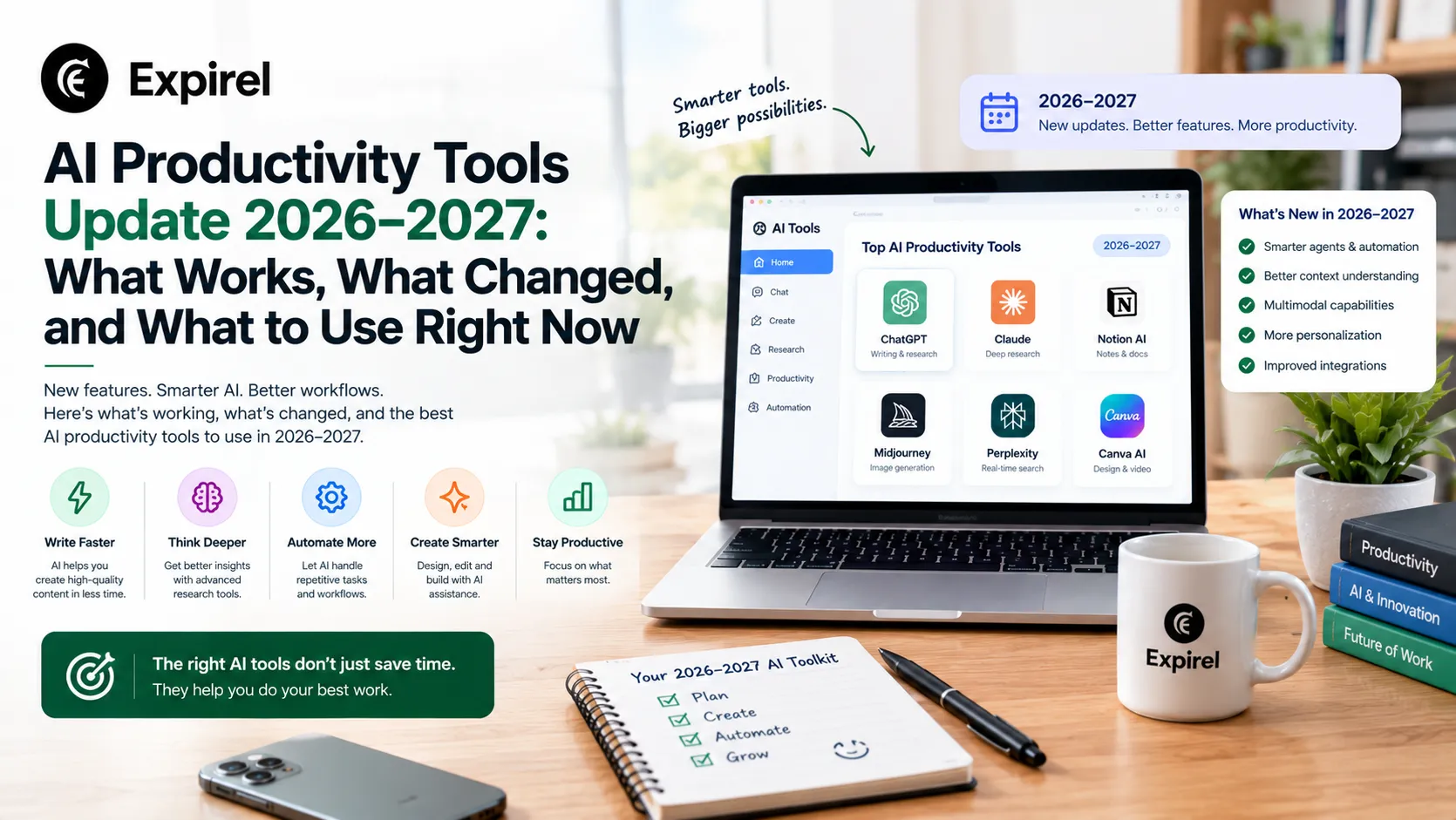
The AI productivity tools market has changed faster in the past two years than in the previous decade of software development combined. Tools that were experimental in 2023 are now embedded in the apps you use every day. New categories of AI assistance meeting intelligence, code generation, calendar optimisation, and automated admin have moved from novelty to standard workflow component for millions of professionals.
This guide gives you an honest, practical update on AI productivity tools in 2026 and heading into 2027. It covers what these tools actually do and what they mainly reduce in your workday, which tools are worth using for specific roles (developers, admin professionals, students, and general work contexts), which are genuinely free, what the Reddit communities say about real-world use, where to learn, and how to evaluate any AI tool before committing your workflow to it.
If you have been overwhelmed by the pace of AI tool releases and want a clear, structured picture of what is actually useful rather than another list of everything that launched this year, this guide is built for exactly that.
AI productivity tools are software applications that use artificial intelligence to automate, accelerate, or enhance work tasks. In 2026 and 2027, the leading tools include ChatGPT and Claude for writing and thinking assistance, GitHub Copilot for code generation, Otter.ai for meeting transcription, Notion AI for knowledge management, Microsoft Copilot for Office 365 integration, and Reclaim.ai for intelligent calendar scheduling. What AI productivity tools mainly reduce is time on low-value repetitive tasks, cognitive load from context switching, and time to first draft on written work. Free tiers are available for most major tools and are sufficient for individual use.
AI Productivity Tools Meaning: What They Actually Are and What They Are Not
An AI productivity tool is any software application that uses artificial intelligence, typically machine learning, large language models, or automation algorithms to help you do work tasks faster, with higher quality, or with less cognitive effort. The meaning is broad because the category is broad: AI productivity tools span writing assistants, code generators, meeting transcribers, scheduling optimisers, research tools, email drafters, and task automators.
What they are not is equally important. These tools are not decision-makers. They are accelerators and first-draft generators. They reduce the time between having an idea and having a usable output. They do not replace the judgment required to know whether the output is actually correct, appropriate, or complete. Every tool in this guide requires human review of its output; the tools that get people into trouble are the ones where the human review step gets skipped.
The one question that defines whether an AI tool is genuinely productive
Before adopting any AI productivity tool, ask: does this tool reduce the time I spend on a task I am already doing, or does it create a new task I would not otherwise do? A meeting transcription tool reduces the time you spend taking notes. An AI social media content generator creates content you may not have planned to create. The first is a genuine productivity gain. The second may be a productivity cost dressed as efficiency.
Key takeaway: AI productivity tools are accelerators, not decision-makers. The human judgment layer remains essential the tool's job is to get you to a first draft or completed task faster, not to replace the review step.
What AI Productivity Tools Mainly Reduce: The Honest Answer
This is one of the most specific and genuinely searched questions in the AI tools space, and most articles answer it vaguely. Here is the precise answer, broken into the five things AI productivity tools most consistently and measurably reduce across different work contexts.
Time to first draft. Writing assistants like ChatGPT, Claude, and Gemini reduce the time from a blank document to a usable starting point from 30 to 90 minutes to 3 to 10 minutes. The first draft is not the final draft, but removing the friction of starting is the highest-value time reduction for most writing-intensive work.
Cognitive load from context switching. Tools like Notion AI, Microsoft Copilot, and Google Gemini in Workspace reduce the number of applications you need to switch between to complete a task. Summarising an email thread, generating a meeting agenda from notes, or drafting a reply without leaving your current application reduces the cognitive cost of switching contexts one of the most significant hidden productivity drains in modern office work.
Time on repetitive low-value tasks. Automation tools like Zapier AI and Make reduce the time spent on repetitive digital tasks: data entry, file organisation, notification routing, form processing. McKinsey's June 2023 report 'The Economic Potential of Generative AI: The Next Productivity Frontier' available at McKinsey found that current generative AI and other technologies have the potential to automate work activities that absorb 60 to 70 percent of employees' time today. The report notes this is significantly higher than the 50 percent previously estimated for traditional automation alone, driven by generative AI's ability to understand natural language.
Meeting overhead. AI meeting tools including Otter.ai, Fireflies.ai, and Read AI reduce the combined time cost of manual note-taking, action item tracking, and meeting follow-up. Teams using AI meeting transcription consistently report 30 to 50 percent reductions in post-meeting administrative time.
Time to production-ready code. Code generation tools including GitHub Copilot and Cursor reduce the time developers spend on boilerplate code, standard function writing, and debugging common errors. Peng et al. (2023), in a controlled experiment published as a Microsoft Research working paper and cited at arxiv.org, found that developers with access to GitHub Copilot completed a JavaScript server implementation task 55.8 percent faster than the control group. GitHub's own 2024 comprehensive research program, which surveyed over 2,000 developers using the SPACE framework, confirmed the 55 percent task completion speed improvement across larger and more varied developer populations.
For the browser-level tools that sit alongside these AI assistants, reducing tab overload, blocking distractions, and tracking time within Chrome itself, the best productivity Chrome extensions guide covers what actually works in a complete productivity setup.
AI Productivity Tools Update: What Changed in 2026 and What Is Coming in 2027
This section covers the specific developments that matter for practitioners right now not every tool that launched in 2026, but the shifts that actually change how you should work with AI today and heading into 2027.
From Assistant to Agent: The Defining Shift of 2026
The most significant development in AI productivity tools across 2026 is the shift from AI assistants that respond to prompts to AI agents that complete multi-step tasks autonomously. An AI assistant answers a question. An AI agent reads the question, determines the steps needed, calls the relevant applications, completes each step, and returns a finished result without human intervention at every stage.
Practical examples in active use right now: Zapier Agents creates AI assistants that handle multi-step workflows across your tool stack when a lead submits a form; the agent adds them to the CRM, notifies sales in Slack, and sends a welcome email, with no developer involvement at each step. Notion Custom Agents run scheduled workflows with defined triggers. Asana AI Teammates coordinate work inside team projects autonomously. Research from Sana Labs and McKinsey Global Institute confirms organisations across HR, finance, IT, and operations are deploying these agents in production workflows through 2026.
The essential rule: fix the workflow before you automate it
AI agents work best with clear boundaries, a narrow role, a repeatable process, and a review step. McKinsey Global Institute 2026 research confirms that productivity gains from agents appear when paired with well-defined workflow automation, not with open-ended access to messy or ambiguous processes. If a workflow is disorganised, an AI agent makes the disorganisation move faster. Define the steps clearly first. Then automate.
Microsoft 365 Copilot 2026: Included in Standard Plans and Significantly Upgraded
Microsoft made two meaningful changes to Copilot in 2026. First, Microsoft 365 Copilot is now included in the M365 Business Standard plan at no extra cost, removing the previous $30 per user per month add-on cost that blocked widespread adoption. Second, the 2026 Copilot release added Agent Mode in Excel and PowerPoint, Word Agent for generating documents from plain-language instructions, and Copilot Agents for building custom assistants that draw from your organisation's own internal documents. For admin professionals and knowledge workers already in the Microsoft ecosystem, AI assistance is now part of an existing subscription rather than a separate purchase decision.
Google Gemini 2026: Now the Default Across Every Google Workspace App
Google embedded Gemini natively across Gmail, Docs, Sheets, Slides, Drive, and Calendar through 2026. The March 2026 update brought direct Gemini integration into Docs, Sheets, and Slides with a Gemini in Sheets performance improvement. As of mid-2026, Gemini is the default AI layer for every Google Workspace user rather than an optional add-on. Google NotebookLM also received a significant 2026 update: Audio Overviews now convert documents and research papers into podcast-style dialogues, and interactive mode lets you guide and interrupt the conversation. For professionals consuming large amounts of document content, NotebookLM reduces initial review time for research papers and long reports significantly.
Zapier Agents 2026: Plain-Language Automation Without Technical Setup
Zapier's 2026 update bundled Tables, Interfaces, and Zapier MCP (Model Context Protocol) into standard plans at no additional cost. The AI Copilot feature now lets you describe an automation in plain language, and Zapier builds it, removing the configuration knowledge that previously required understanding triggers, actions, and filter logic. For operations teams and admin professionals, multi-application workflows previously requiring developer involvement are now buildable from a description in plain English. The Agents feature creates persistent AI assistants that take multi-step actions across your tool stack on an ongoing basis.
The AI fatigue pattern in 2026: subscribing to more, adopting less
A consistent pattern in productivity communities through 2026 is tool accumulation without genuine adoption. McKinsey's 2025 State of AI report found that productivity gains remain concentrated in users who deeply integrate one or two tools rather than superficially using many. The guidance has not changed: choose one AI tool per workflow problem, use it consistently for 30 days with a real baseline measurement, evaluate the actual time saving, then move to the next. Depth of use produces compounding gains. Breadth of subscription produces recurring fees without measurable output change.
AI Productivity Tools Examples: Before and After Real-World Scenarios
The clearest way to understand what AI productivity tools actually do is through specific before-and-after comparisons. Here are five real-world scenarios showing the time difference with and without AI assistance. These are representative examples based on documented use patterns across the tool categories covered in this guide.
Example 1: Writing (Claude or ChatGPT)
Before: A marketing manager spends 90 minutes writing a 1,000-word campaign brief from scattered notes and a vague brief. After: The manager provides a 10-line bullet-point summary to Claude, receives a structured 1,000-word first draft in 3 minutes, then spends 15 minutes editing for brand voice and specific details. Total time: 18 minutes vs 90 minutes.
Example 2: Coding (GitHub Copilot)
Before: A backend developer spends 45 minutes writing the boilerplate structure for a new REST API endpoint standard patterns repeated across every endpoint in the project. After: Copilot generates the boilerplate structure in seconds based on the developer typing the function name and a one-line comment. The developer spends 45 minutes on business logic, validation rules, and edge case handling instead. Total time spent on high-value work: significantly higher.
Example 3: Meetings (Otter.ai)
Before: A project manager spends 25 minutes after each client call manually writing meeting notes, identifying action items, and emailing a summary to the team. After: Otter.ai transcribes the call in real time, generates an AI summary and action item list automatically, and the manager spends 4 minutes reviewing and sending. Total time: 4 minutes vs 25 minutes, across every meeting.
Example 4: Admin writing (Microsoft Copilot in Outlook)
Before: An executive assistant drafts a 150-word stakeholder update email from memory of a conversation, spending 12 minutes writing and reviewing. After: The assistant types three bullet points into Copilot's email compose window, receives a fully formatted 150-word draft in 8 seconds, and spends 90 seconds reviewing and sending. Total time: under 2 minutes vs 12 minutes.
Example 5: Research (Perplexity AI for students)
Before: A university student spends 40 minutes searching academic databases to find five relevant papers on a new topic, reading abstracts, and filtering for relevance. After: The student asks Perplexity AI the research question, receives five named papers with citations and relevance summaries in under 4 minutes, then reads the actual papers directly. Research discovery time: 4 minutes vs 40 minutes.
Key takeaway: Every AI productivity tool example above shows the same pattern: the time saving comes from reducing the low-value starting and structural work, not from replacing the high-value judgment and review work. The human review step remains in every example it just happens faster because the AI did the scaffolding.
AI Productivity Tools List: Best Tools by Role and Use Case
Rather than a flat list of every available tool, this section organises the most effective options by the specific role and workflow they address so you can identify what is relevant for your context without sorting through tools built for someone else's problems.
AI Productivity Tools for Work: General Professional Use
Claude (Anthropic) Best for: Writing, analysis, complex reasoning Free tier available
What it does: A large language model assistant that excels at writing assistance, document analysis, research synthesis, and structured thinking for complex problems. Available at claude.ai. Handles long documents and nuanced instructions more reliably than many alternatives for extended professional work sessions.
Real-world use: A marketing manager uses Claude to analyse customer feedback reports, draft campaign briefs from bullet points, and review copy for clarity before it goes to the creative team, reducing three separate review rounds to one.
Practitioner tip: Use Claude for tasks that require nuanced instruction following or working with long documents. Set up a consistent prompt template for your most frequent task types — a strong template produces consistently better output than typing a new prompt each session.
Otter.ai Best for: Meeting transcription and action items Free tier — 300 minutes/month
What it does: Records and transcribes meetings in real time, generates AI summaries and action item lists, and integrates with Zoom, Google Meet, and Microsoft Teams. Available at otter.ai.
Real-world use: A project manager runs all client calls through Otter. After each call, the AI summary and action item list go directly into Notion, reducing a 20-minute manual debrief to a 3-minute review and edit.
Practitioner tip: Send the AI-generated summary to meeting participants instead of writing one manually this alone saves 15 to 25 minutes per meeting. Review the action items before distributing; Otter occasionally misattributes who committed to what.
Reclaim.ai Best for: Intelligent calendar scheduling and time protection Free plan available
What it does: An AI calendar tool that automatically schedules tasks, protects focus time blocks, and optimises your calendar around meetings and energy patterns. Available at reclaim.ai.
Real-world use: A consultant with a full client meeting calendar uses Reclaim to automatically schedule 90-minute deep work blocks each morning before 11 am. When a meeting is added, Reclaim reschedules the focus block rather than losing it.
Practitioner tip: Connect Reclaim to your task manager (Asana, Todoist, or Linear) and let it schedule tasks automatically for the first week without overriding anything manually. The patterns it builds in week one are more accurate than the defaults.
AI Productivity Tools for Developers
GitHub Copilot Best for: Code generation, completion, and review Paid — free for verified students
What it does: An AI coding assistant integrated into VS Code, JetBrains, and other IDEs that generates code suggestions, completes functions, and explains existing code in plain English. Available at Github Copilot.
Real-world use: A backend developer writing API integration code uses Copilot to generate the boilerplate structure for each new endpoint, then focuses attention on business logic and edge cases rather than repetitive structural code.
Practitioner tip: Use Copilot for boilerplate, standard patterns, and test generation. Do not use it to generate security-sensitive logic without detailed review. The time savings come from reducing the cognitive cost of structural code, not from outsourcing judgment.
Cursor Best for: AI-native code editor for full file editing Free tier available
What it does: An AI-native code editor built on VS Code that allows the AI to edit entire files, understand your codebase context, and apply complex multi-file changes based on natural language instructions. Available at cursor.sh.
Real-world use: A solo developer refactoring a large codebase uses Cursor to explain the change needed in plain English and apply it across multiple files simultaneously reducing what would be a four-hour refactoring session to under 90 minutes.
Practitioner tip: Use Cursor's codebase context feature by indexing your repository before starting a session. The quality of suggestions improves significantly when the AI understands your existing code structure rather than working from scratch.
AI Productivity Tools for Admin Professionals
Admin professionals executive assistants, operations coordinators, office managers, and HR administrators typically spend the majority of their working hours on five task types: email communication, calendar management, document generation, meeting coordination, and data processing. AI tools have transformed each of these specifically. Email drafting time drops by 60 to 80 percent when AI generates first drafts from bullet points. Meeting coordination time drops when AI transcribes and summarises automatically. Document generation time drops when AI converts notes and bullet points into structured reports. The tools below address all five of these workflow areas.
Microsoft Copilot (Office 365) Best for: End-to-end admin workflow in Microsoft ecosystem Requires Microsoft 365 Business subscription
What it does: Integrated across Outlook, Word, Excel, PowerPoint, and Teams. Drafts emails from bullet points, summarises long email threads, generates PowerPoint presentations from Word documents, creates Excel formulas from plain-English descriptions, and summarises Teams meeting recordings. Available at Microsoft Copilot
Real-world use: An executive assistant uses Copilot in Outlook to draft responses to routine stakeholder emails from three-word prompts, reducing email handling time by approximately 40 percent for standard communication templates.
Practitioner tip: Build a library of prompt templates for your most frequent admin tasks briefing notes, meeting summaries, scheduling emails, status reports. A good prompt template used consistently produces better output than a perfect prompt written fresh each time.
Zapier AI Best for: Workflow automation without coding Free tier — limited Zaps
What it does: An automation platform with AI capabilities that connects applications and automates multi-step workflows without code. AI features include natural-language workflow creation and automated data routing between applications. Available at zapier.
Real-world use: An operations coordinator automates the workflow from form submission to CRM update to Slack notification to email confirmation — a four-step process that previously required manual action at each stage — using a single Zapier workflow built from a plain-English description.
Practitioner tip: Start with one workflow that you repeat manually at least three times per week. If it involves moving information between two applications, it is almost certainly automatable in Zapier in under 20 minutes. Automate one workflow per week for a month before expanding further.
AI Productivity Tools for Students
Perplexity AI Best for: Research with cited sources Free tier available
What it does: An AI research assistant that generates answers from real-time web sources with citations, allowing students to verify every claim in the AI-generated response. Available at perplexity.ai. More reliable for research tasks than uncited AI assistants.
Real-world use: A university student researching for a dissertation uses Perplexity to identify key papers, authors, and arguments in an unfamiliar topic area — then follows the citations into the actual academic sources rather than treating the AI summary as the source itself.
Practitioner tip: Always follow citations back to sources. Perplexity is a research starting point, not a source itself. Use it to identify what to read, then read the actual papers. This is the correct academic workflow for AI-assisted research.
Notion AI Best for: Notes, study materials, and essay planning Available on Notion free plan with limits
What it does: An AI layer within Notion that summarises notes, generates study materials from existing content, helps with essay outlines, and explains complex concepts in simpler language. Available at notion.so.
Real-world use: A student organises all lecture notes in Notion and uses Notion AI to generate study summaries and practice questions from those notes at revision time converting raw notes into active study material in minutes rather than hours.
Practitioner tip: Keep all your notes in Notion from the start of each module not at revision time. The AI's ability to generate useful study material is directly proportional to the quality and completeness of your stored notes.
Best Free AI Productivity Tools: What You Can Use at Zero Cost
Every major AI productivity tool offers a free tier in 2026 and heading into 2027. Here is an honest assessment of what each free version provides and where the limits fall.
Tool | Free tier gives you | Limitation on free tier | Worth upgrading? |
ChatGPT (OpenAI) | GPT-4o with usage limits | Rate limits during peak hours | Yes — for heavy daily use |
Claude (Anthropic) | Claude Sonnet with daily limits | Context window and usage cap | Yes — for long document work |
Gemini (Google) | Full Gemini in Google Workspace | Some integrations need Workspace plan | Only if deep Google integration needed |
Perplexity AI | Unlimited standard searches | Limited Pro searches per day | Yes — for heavy research use |
Otter.ai | 300 transcription minutes/month | No Zoom auto-join or integrations | Yes — for regular meeting use |
Notion AI | 20 AI responses/month | Very limited for regular use | Yes — if using Notion heavily |
Zapier | 100 automated tasks/month | Single-step Zaps only | Yes — for multi-step workflows |
GitHub Copilot | Free for verified students | Paid for professionals | Yes — highest ROI AI tool for developers |
What Reddit and Productivity Communities Say About AI Tools in 2026
Real-world feedback from communities including Reddit's r/productivity, r/ChatGPT, r/artificial, and r/MachineLearning reveals a more nuanced picture of AI productivity tools than the marketing from tool companies suggests. These are the patterns that appear consistently across experienced practitioners.
The tools that survive long-term are the ones that reduce friction without adding new tasks. GitHub Copilot, Otter.ai, and Microsoft Copilot appear consistently in 'still using after 6 months' threads because they reduce something you were already doing. AI social media generators, AI image tools, and AI email campaign writers appear more often in 'stopped using' discussions because they created activity that would not have existed otherwise.
Prompt quality is the skill that separates high output from mediocre output. The consistent message from experienced users across communities is that the tool's capability is rarely the limiting factor the user's ability to provide clear, specific, structured prompts is. An AI tool with a weak prompt produces weak output. The same tool with a strong prompt produces work-quality output. Learning to prompt well is the highest-return skill in the AI productivity tools space.
Privacy and data handling are recurring concerns for professional use. Discussions in professional subreddits consistently flag the question of what AI tools do with the content you input. Most large language model providers include terms allowing them to use inputs for model training unless you specifically opt out or use an enterprise tier. For sensitive professional content client data, legal documents, financial information review the privacy policy before inputting.
The free tiers are more useful than most reviews suggest. Community experience consistently finds that the free tiers of ChatGPT, Claude, and Perplexity handle the majority of individual productivity use cases without requiring a paid subscription. The paid tier becomes valuable primarily for high-volume users, team features, or specific integration requirements.
AI Productivity Tools Course: Where to Learn to Use These Tools Well
Knowing which tools exist is the starting point. Knowing how to use them well specifically how to prompt effectively, how to build reliable workflows, and how to evaluate output quality is the skill that determines actual productivity gains. These are the most reliable learning resources for AI productivity tools in 2026 and heading into 2027.
Google's Grow with Google AI training: Free courses on using Google's AI tools including Gemini in Workspace, designed for professionals without technical backgrounds. Certificates included.
LinkedIn Learning AI productivity courses: Structured courses on using specific tools (Copilot, ChatGPT, Notion AI) in professional contexts. Subscription required but often available through employer learning budgets.
OpenAI's official prompt engineering guide: The definitive technical resource on prompting, written by the team that built ChatGPT. Free. More technical than most courses but worth working through once.
Anthropic's Claude usage documentation: Practical guidance on getting the most from Claude for professional tasks. Covers document analysis, structured output, and complex instruction formats.
Lenny's Newsletter: Practitioner-level writing on AI in product and professional work contexts, written by and for people who use these tools daily in real work rather than in demonstrations.
How to choose between these resources: start with Grow with Google if you primarily work in Google Workspace and want structured certification. Start with OpenAI's prompt engineering guide if you use ChatGPT or Claude daily and want to improve output quality immediately it is the highest-return free resource for people already using large language models. Start with LinkedIn Learning if your employer reimburses learning costs and you want structured video courses with certificates. The prompt engineering guide produces the fastest real-world improvement for most individual users because prompt quality is the variable that most directly determines output quality across every AI tool in this guide.
How to Evaluate Any AI Productivity Tool Before Committing Your Workflow
New AI tools launch every week. The evaluation framework below prevents adopting tools that feel impressive in demos but add no real-world productivity value to your specific work context.
Define the specific task you want the tool to improve. Not 'be more productive' a specific, measurable task: 'reduce the time I spend writing meeting summaries' or 'reduce the time I spend on the boilerplate sections of client proposals.'
Important context before you start: AI productivity tools are not replacements for your existing project management software, calendar apps, or communication platforms. They are accelerators within those existing workflows. Notion AI does not replace Notion; it accelerates how you use it. Microsoft Copilot does not replace Outlook; it reduces the time each email takes. Otter.ai does not replace your meeting platform; it removes the manual work after each session. For smaller browser-based tasks, a focused extension can provide the same kind of workflow acceleration without requiring another full productivity platform. Our guide to the best productivity Chrome extensions covers practical options for reducing distraction, managing tabs, tracking time, and improving everyday browser workflows. If you are already running a well-structured workflow, AI tools amplify it. If your underlying workflow is disorganised, an AI layer adds complexity rather than removing it. Fix the workflow structure first. A clear productivity recipe that governs how your day runs is the foundation that AI tools amplify, not the thing they replace; then add AI acceleration on top of it.
Time how long that task takes you without the tool. One week of baseline measurement. Do not skip this step without a baseline, you cannot measure whether the tool is helping.
Use the tool's free tier for 30 days for that specific task only. Do not try the tool across multiple use cases simultaneously; this makes it impossible to evaluate whether it is working for any of them.
Time the task with the tool after the 30 days. If the time reduction is not at least 25 percent, the tool is not worth the subscription cost or the workflow disruption. Move on.
Evaluate the quality of output, not just the speed. An AI tool that drafts a meeting summary in 2 minutes but requires 20 minutes of correction has not saved time. The net saving must account for review and editing time.
Check the privacy policy before inputting sensitive content. If your work involves client data, legal documents, or confidential business information, verify whether the tool uses your inputs for model training and whether an enterprise or privacy-first option exists.
Track your AI tool adoption with Expirel
The most common reason AI productivity tools fail to deliver value is inconsistent use during the adoption period. A tool that gets used three times in week one, twice in week two, and abandoned in week three produces no measurable productivity gain regardless of its capability. Log your daily AI tool usage as a habit in Expirel's Habit Tracker alongside your other personal growth habits and your dinner productivity practice, which governs overnight cognitive recovery and directly determines the executive function available for AI-assisted work the following morning. 'used AI writing assistant for first draft,' 'ran meeting through Otter,' 'scheduled deep work blocks in Reclaim,' and the 30-day consistency required for genuine adoption becomes trackable rather than aspirational. Consistent use of one tool for 30 days produces more value than inconsistent use of six tools for a week each.
AI Productivity Tools Market: How Big Is It and Where Is It Going
The AI productivity tools market has grown substantially through 2025 and 2026. Market research firms including Grand View Research, Gartner, and McKinsey have all published analyses placing the global AI software market in the hundreds of billions of dollars annually, with productivity applications representing one of the fastest-growing segments.
For practitioners, the market size matters less than the direction of travel. The pattern across enterprise adoption in 2025 is clear: AI productivity tools are moving from optional additions to standard components of professional software suites. Microsoft Copilot, Google Gemini in Workspace, and Salesforce Einstein are all embedded into the tools millions of people use daily, making AI assistance a background feature of professional work rather than a separate subscription decision.
The implication for individuals is practical: the most valuable skill in this space is not knowing which tools exist but knowing how to integrate them effectively into a specific workflow. That integration skill the ability to identify which task benefits from AI assistance, prompt for high-quality output, and review the output efficiently is what separates people who experience genuine productivity gains from those who accumulate subscriptions without changing how long their work takes.
Final Thoughts
AI productivity tools in 2026 and heading into 2027 are no longer experimental. They are embedded in the software you use daily, available for free at a level that produces real value for individual users, and mature enough to deliver measurable time savings in specific, well-defined tasks. The question is no longer whether to use them but which ones address your specific friction points and how to use them consistently enough to produce compounding gains.
The answer is not to subscribe to more tools. It is to choose one per workflow problem, use it consistently for 30 days with a real baseline measurement, and evaluate the actual time saving before moving to the next. That disciplined approach paired with strong prompting skills and honest output review is what separates the practitioners who report genuine productivity gains from those who accumulate unused subscriptions and wonder why nothing changed.
Frequently Asked Questions
Q: What are AI productivity tools?
AI productivity tools are software applications that use artificial intelligence including large language models, machine learning, and automation algorithms to help you complete work tasks faster, with better quality, or with less cognitive effort. In 2026 and 2027, the leading examples are ChatGPT and Claude for writing and analysis, GitHub Copilot for coding, Otter.ai for meeting transcription, Microsoft Copilot for Office 365 workflows, and Reclaim.ai for calendar optimisation.
Q: What do AI productivity tools mainly reduce?
AI productivity tools mainly reduce five things: time to first draft on written work, cognitive load from context switching between applications, time on repetitive low-value tasks through automation, meeting overhead through AI transcription and summary, and time to production-ready code through generation and completion assistance. The greatest measured gains come from consistent use of one or two well-chosen tools rather than superficial use of many.
Q: What are the best free AI productivity tools in 2026 and heading into 2027?
The best free AI productivity tools are ChatGPT (free tier with daily limits), Claude (free tier with usage cap), Gemini by Google (free with Google account), Perplexity AI (free with standard search limits), and Otter.ai (300 transcription minutes per month free). For developers, GitHub Copilot is free for verified students. All of these free tiers are sufficient for individual productivity use without requiring a paid subscription.
Q: Which AI productivity tools are best for developers?
The best AI productivity tools for developers are GitHub Copilot (integrated into VS Code and JetBrains IDEs for code generation and completion), Cursor (an AI-native code editor for multi-file editing from natural language instructions), and ChatGPT or Claude for code explanation, debugging discussion, and technical writing. GitHub's research found developers using Copilot completed coding tasks up to 55 percent faster in controlled studies.
Q: What AI productivity tools are best for admin professionals?
The best AI productivity tools for admin professionals are Microsoft Copilot in Office 365 (drafts emails, summarises threads, generates documents from bullet points), Zapier AI (automates workflows between applications without code), and Otter.ai (transcribes and summarises meetings automatically). For admin professionals in the Microsoft 365 ecosystem, Copilot provides the broadest single-tool coverage of daily administrative tasks.
Q: What AI productivity tools are best for students?
The best AI productivity tools for students are Perplexity AI (research with cited sources for academic integrity), Notion AI (converts notes into study summaries and practice questions), and ChatGPT or Claude for essay planning and concept explanation. The critical rule for students: always follow AI-generated citations back to original sources and verify claims independently before using them in academic work.
Q: What does Reddit say about AI productivity tools?
Reddit productivity communities in 2026 consistently find that tools reducing friction in existing tasks (GitHub Copilot, Otter.ai, Microsoft Copilot) have better long-term adoption than tools creating new tasks. The consensus on skill development is clear: prompt quality is the variable that separates high-value from mediocre output the tool's capability is rarely the limiting factor. Free tiers handle most individual use cases without paid subscriptions.
Q: How do I choose the right AI productivity tool for my work?
Choose by defining one specific task to improve, measuring how long it currently takes without AI, using the tool's free tier for 30 days on that task only, and then measuring the time reduction. If the net saving (including review and editing time) is under 25 percent, the tool is not worth adopting. Privacy policy review is essential before inputting client data or confidential business information into any AI tool.
Q: Is there a course for learning AI productivity tools?
Google's Grow with Google AI training offers free courses for professionals without technical backgrounds. LinkedIn Learning has structured courses on specific tools including Copilot and ChatGPT. OpenAI's prompt engineering guide at platform.openai.com/docs is the definitive technical resource on prompting effectively. Anthropic's Claude documentation covers practical professional use cases for Claude specifically.